
Non-auth deposits - Recovery
The Recovery SDK allows end-users to self-serve a recovery withdrawal in the event that they have made a non-auth deposit (a deposit made outside of the Auth UX)
Introduction
Platforms can configure their Auth integration to block non-Auth transfers - transfers that are initiated outside of the standard zerohash Auth flow. While such cases are rare, it's important for platforms to detect and handle them gracefully to maintain a secure and consistent user experience. The following sections describe the end-to-end flow, from detection to user resolution.
Recovery steps
1. Non-auth deposit received
A deposit is made that bypasses the intended Auth flow. The deposit will be credited to the customer's account, on the zerohash ledger, under an non-auth deposit-specific account_label of recovery_quarantine.
The deposit will not credit the customer's trading power on the exchange/CLOB, for example, and they will not be able to withdraw these funds or otherwise alter the balance except by initiating a withdrawal via the below SDK.
2. Webhook triggered
zerohash sends a deposit.status_changed to the Platform and Connect will send a connect.deposits.unexpected webhook event to the Organization, notifying your of the incoming deposit.
3. User authentication via Platform SSO
The user signs into using the Platform's login flow using normal SSO credentials.
4. User notification
The Platform, on their UI, will display an in-app banner or create some call to action that a resolution is required. It is also recommended to send an email explaining the resolution process.
Once the action has been taken, the Platform should invoke the Auth SDK - allowing the user to link an external exchange or wallet account and initiate a withdraw.
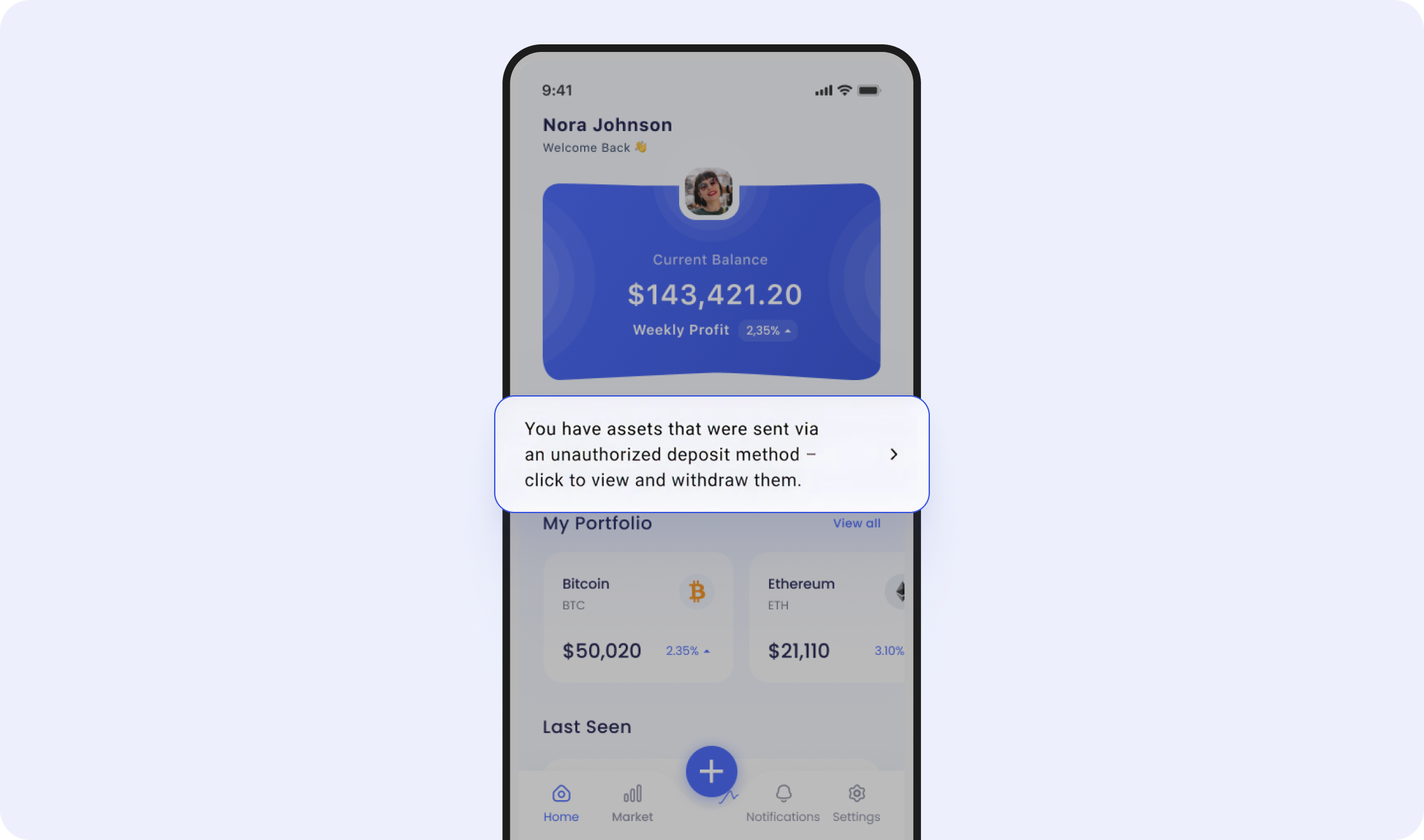
Example front end - see call-to-action banner in the center
5. User initiates withdrawal
The user will successfully sign into their custodial or non-custodial account to initiate the withdrawal. Zerohash will also allow for a "Manual Transfer" withdraw method as well. Note: zerohash will only permit withdrawals of the same asset that they deposited - no exchanges.
Technical integration + front end journey
1. Webhook - Non-auth deposit detected
When zerohash detects that a deposit was sent to an address outside of the auth flow, we will send a deposit.status_changed webhooks. Example payload:
{
  "deposit_id": "c7984d78-8d37-49c2-8388-5d2ed1933789",
  "account_id": "",
  "participant_code": "<PARTICIPANT_CODE>",
  "transaction_hash": "0x4fc2af115b94ca12a29f9378ad1aac39ee6af21be84efece560899049baa5767",
  "state": "recovery_quarantine",
  "asset": "ETH",
  "amount": "0.01",
  "source_address": "0xE40e3a093Cc6949326d639F1Ff7a051129eDBF36",
  "received_address": "0x34E40BC1d5939F919d59AE78FcB93E7274957890",
  "timestamp": 1765837019,
  "readable_timestamp_utc": "2025-12-15T22:16:59Z"
}
Additionally, Connect will send a connect.deposits.unexpected webhook:
{
  "event": "connect.deposits.unexpected",
  "deposit": {
    "id": "28039754-903f-497a-b2a4-8c88f9cf394e",
    "amount": "0.00063322",
    "network": "bitcoin",
    "asset": "BTC",
    "created_at": "2025-12-17T18:33:34Z",
    "updated_at": "2025-12-17T18:33:34Z",
    "transaction": {
      "hash": "5f30139f5546c9c1b4e7fdfa3922af1b1b7c4aa2ce418abe3fd79f30170f010d-0",
      "to": "tb1q8tt0kkrxaxtczprd2wej5xcyxjgpluhtvfn6tl",
      "block_number": "0",
      "value": "0.00063322"
    },
    "status": "UNEXPECTED"
  },
  "session": {
    "id": "",
    "metadata": null,
    "created_at": ""
  },
  "account": {
    "reference_id": ""
  }
}
2. Invoke the Recovery SDK
To invoke the Recovery SDK, make a POST /sessions call like so:
{
  "account": {
    "reference_id": "USER01" // the End User's participant_code that was created via POST /participants/customers/new within zerohash
  },
  "session": {
    "metadata": {
	// The Organization can send in any metadata that will be performed in subsequent webhook calls
    }
  },
  "scopes": [
    "user:recovery:send" // enum: "user:deposit:send" || "user:withdrawal:request" || "user:recovery:send"
  ]
}
3. Screen 1 - Display all non-auth deposits
The balances will all be cumulative - if they make multiple non-auth deposits, we will combine the balances per asset and display a single line item. It will contain important data points such as blockchain transaction hash, timestamp of receipt, asset received, network received on, and amount.
From there, the user will select each transaction to resolve and withdraw out to an external wallet.
4. Screen 2 - Select withdraw method
The user can choose from a Custodial account, non-custodial account or can choose to transfer manually by entering their address manually
5. Screens 3 - 9 Custodial or Non-custodial account
The user will be prompted to:
- Sign into their account
- Perform 2FA
- Confirm the details of their transfer
- Perform 2FA once more
- Ultimately initiate the transfer
6. Screens 3 - 8 Transfer Manually
The user will be prompted to:
- Enter the destination address
- zerohash will screen the address against our transaction monitoring deny-lists, ensuring funds are not sent to tainted addresses
- Initiate the transfer
7. Webhook - Transfer initiated
When the transfer has been sent on-chain, zerohash will send a series of webhooks that lets the Platform understand the progress of the transfer
submitted example - the transfer has started:
{
   "payment_details":{
      "withdrawal_request_id":"b752503c-1c42-4dfe-ad1d-7b39da5db59c",
      "trade_id":"",
      "on_chain_transaction_id":"",
      "network_fee_notional":"",
      "network_fee_quantity":"",
      "destination_address":"EPjFWdd5AufqSSqeM2qN1xzybapC8G4wEGGkZwyTDt1v"
   },
   "asset":"USDC",
   "network":"BASE",
   "payment_type":"auth_withdrawal",
   "external_account_id":"2cc93b20-ee43-4877-8cdc-863e61829015",
   "participant_code":"<PARTICIPANT_CODE>",
   "quantity":"",
   "status":"submitted",
   "created_at":"2024-09-26T13:05:22.657Z",
   "updated_at":"2024-09-26T13:05:22.657Z",
   "total":"100.00
}
posted example - the transfer is officially pending on-chain and is on its way to the external wallet:
{
   "payment_details":{
      "withdrawal_request_id":"b752503c-1c42-4dfe-ad1d-7b39da5db59c",
      "trade_id":"",
      "on_chain_transaction_id":"FLaUcxdNxRwnaSXp6pXeRSfANXEHouqYbqF6X1bgRxg2",
      "network_fee_notional":".01",
      "network_fee_quantity":".001",
      "destination_address":"EPjFWdd5AufqSSqeM2qN1xzybapC8G4wEGGkZwyTDt1v"
   },
   "asset":"USDC",
   "network":"BASE",
   "payment_type":"auth_withdrawal",
   "external_account_id":"2cc93b20-ee43-4877-8cdc-863e61829015",
   "participant_code":"<PARTICIPANT_CODE>",
   "quantity":"",
   "status":"posted",
   "created_at":"2024-09-26T13:05:22.657Z",
   "updated_at":"2024-09-26T13:05:22.657Z",
   "total":"100.00
}
settled example - the transfer is complete and the user has their funds:
{
   "payment_details":{
      "withdrawal_request_id":"b752503c-1c42-4dfe-ad1d-7b39da5db59c",
      "trade_id":"",
      "on_chain_transaction_id":"FLaUcxdNxRwnaSXp6pXeRSfANXEHouqYbqF6X1bgRxg2",
      "network_fee_notional":".01",
      "network_fee_quantity":".001",
      "destination_address":"EPjFWdd5AufqSSqeM2qN1xzybapC8G4wEGGkZwyTDt1v"
   },
   "asset":"USDC",
   "network":"BASE",
   "payment_type":"auth_withdrawal",
   "external_account_id":"2cc93b20-ee43-4877-8cdc-863e61829015",
   "participant_code":"<PARTICIPANT_CODE>",
   "quantity":"",
   "status":"settled",
   "created_at":"2024-09-26T13:05:22.657Z",
   "updated_at":"2024-09-26T13:05:22.657Z",
   "total":"100.00
}
Updated 8 days ago