
Tax Data Collection - KYCaaS
What to expect for platforms using zerohash KYC services to onboard customers
Overview
The Onboarding SDK collects the tax information that zerohash needs for U.S. tax reporting. It collects this information during onboarding, before identity verification. Your customers do not fill in a separate W-9 or W-8BEN form.
In the new flow, the customer:
- Enters a single tax ID with their address.
- Reviews their information on one screen.
- Confirms one certification checkbox, if your flow needs it.
zerohash uses this data to create the W-9 or W-8BEN record for the customer.
Choose an onboarding flow
Your platform selects the flow when it opens the SDK. Use the onboardingFlow parameter of openModal. For the parameter reference, see User Onboarding.
onboardingFlow | Who it is for | What the customer does |
|---|---|---|
full_with_tax (default) | New customers, when the products and services that you use at zerohash need a tax certification | Full onboarding, then one tax certification checkbox on the review screen |
full_without_tax | New customers, when the products and services that you use at zerohash need only name, address and tax ID | Full onboarding with no certification checkbox |
tax_only | Customers who are already onboarded | Reviews their information and confirms the tax certification. No identity verification |
To choose a flow:
- Ask your account team which flow applies to your platform.
- Ask your account team to turn on the new onboarding flows for your platform.
- For a web integration that uses
full_without_taxortax_only, upgrade tozh-web-sdk3.12.0 or later. Mobile WebView integrations do not need an upgrade. - Pass the
onboardingFlowvalue when you open the modal.
If you do not send onboardingFlow, the SDK uses full_with_tax. If you send a value that the SDK does not recognize, the SDK also uses full_with_tax.
Mobile apps (WebView)Send
onboardingFlowin theOPEN_MODALmessage. You do not need to upgrade a package. See User Onboarding.
New customers
For full_with_tax and full_without_tax, the customer completes these steps:
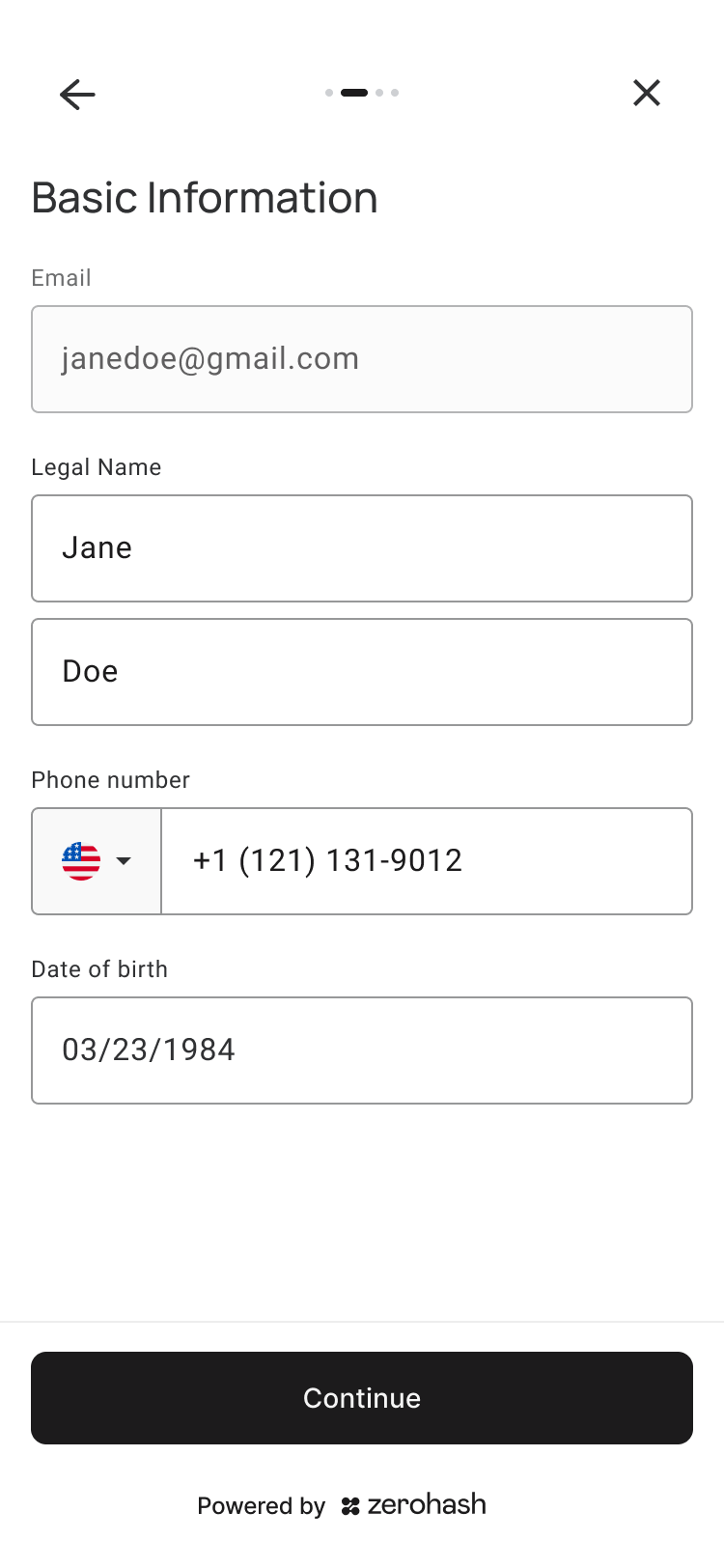
- Basic information. Legal first and last name, phone number and date of birth. The email address comes from your onboarding token.
- Place of residence. Residential address and one tax ID. The address cannot be a P.O. box.
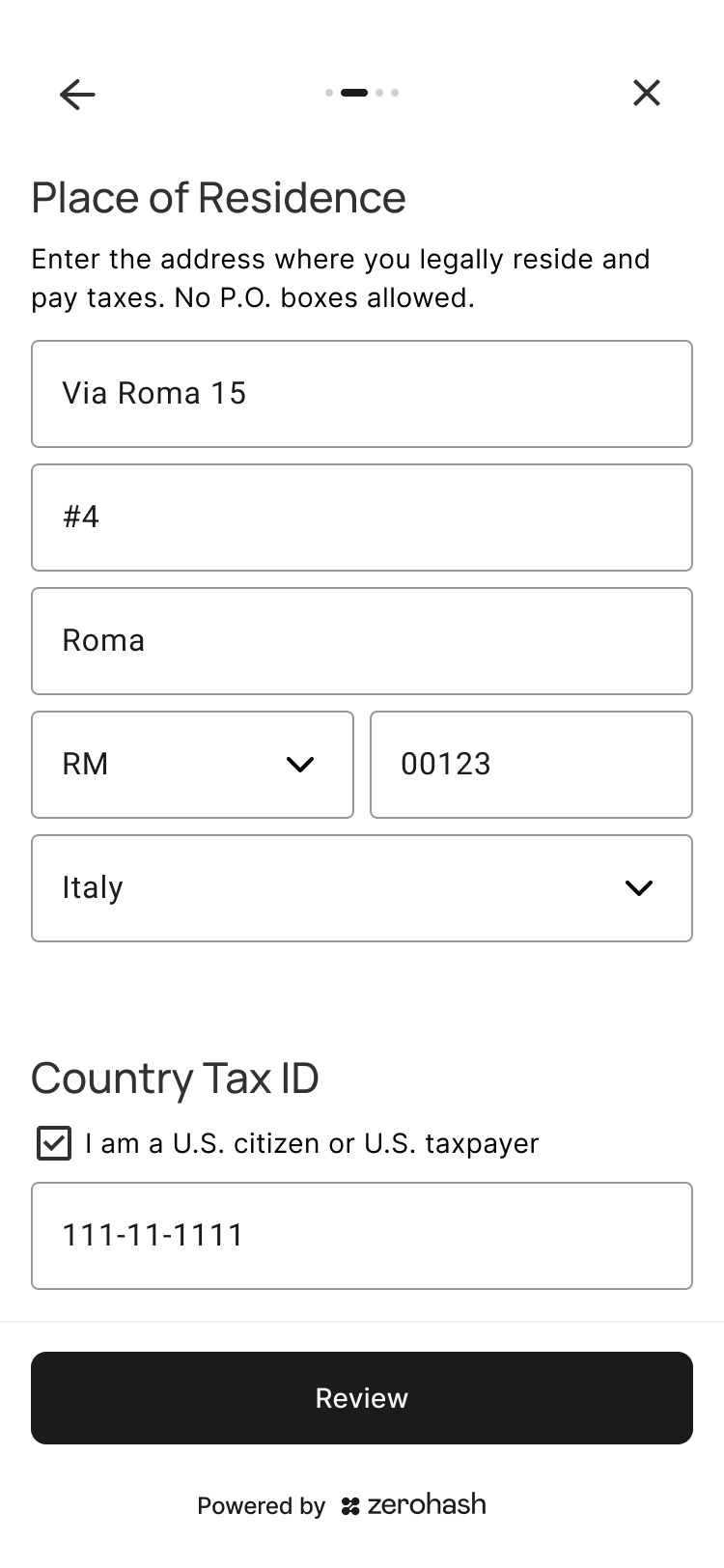
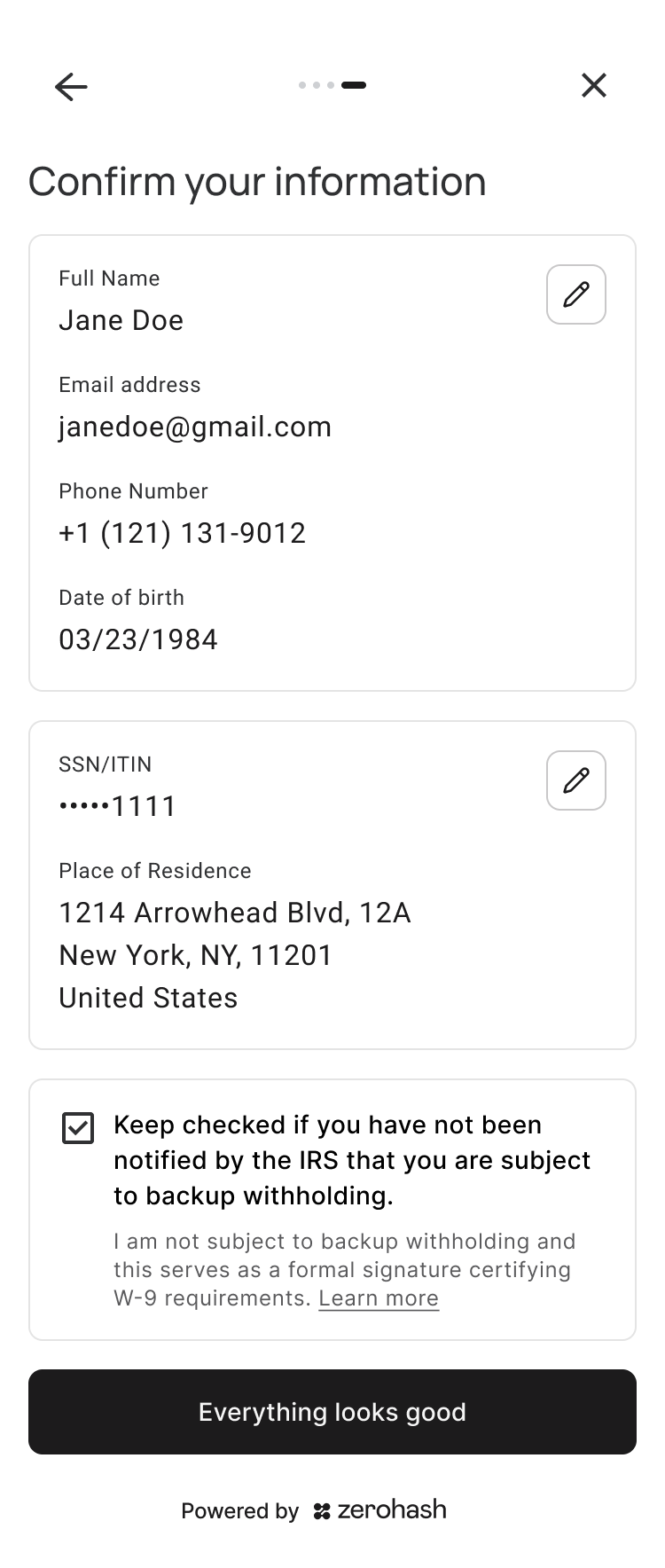
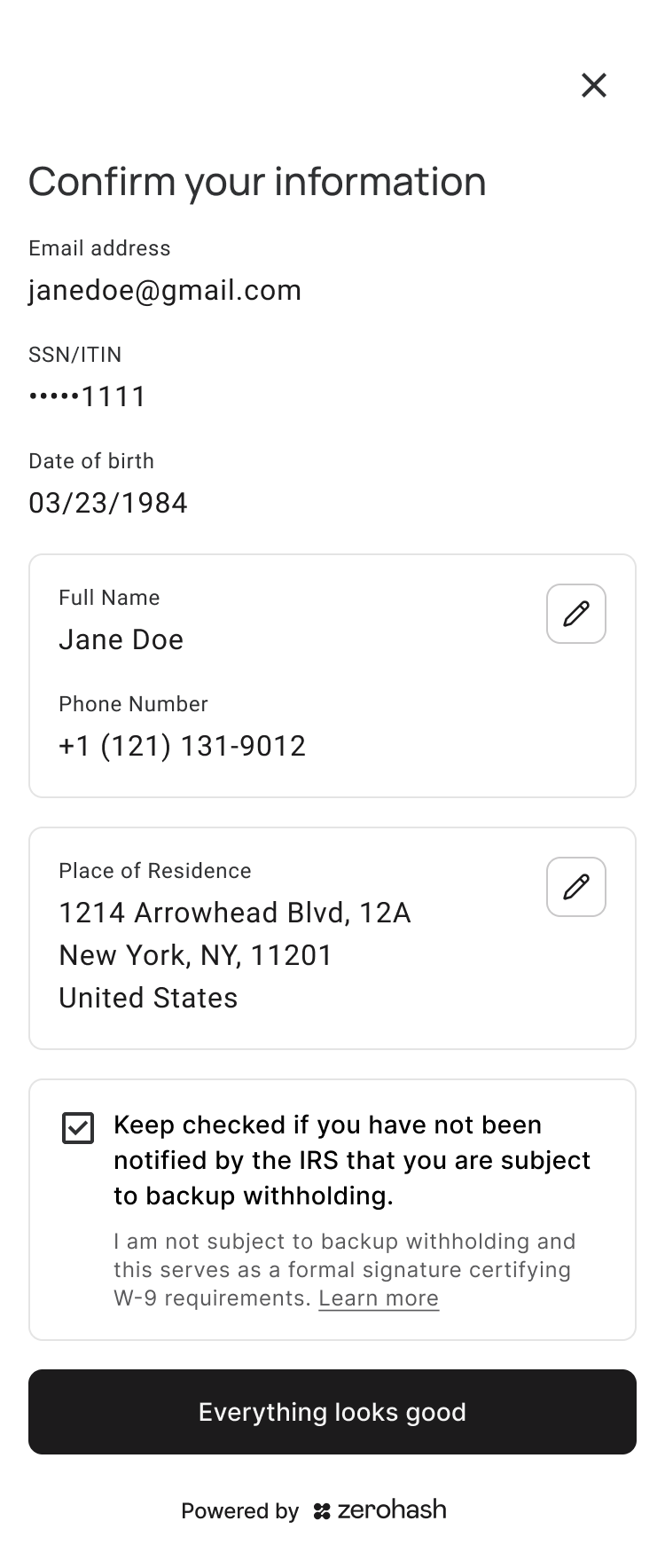
- Confirm your information. The customer reviews all their details. The tax ID shows only its last four digits.
- Identity verification. The customer verifies their identity. This step can continue on the customer's phone.
- Verification complete.
zerohash collects the personal details and the tax ID before identity verification starts. Your platform does not send or store this data.
The tax ID field
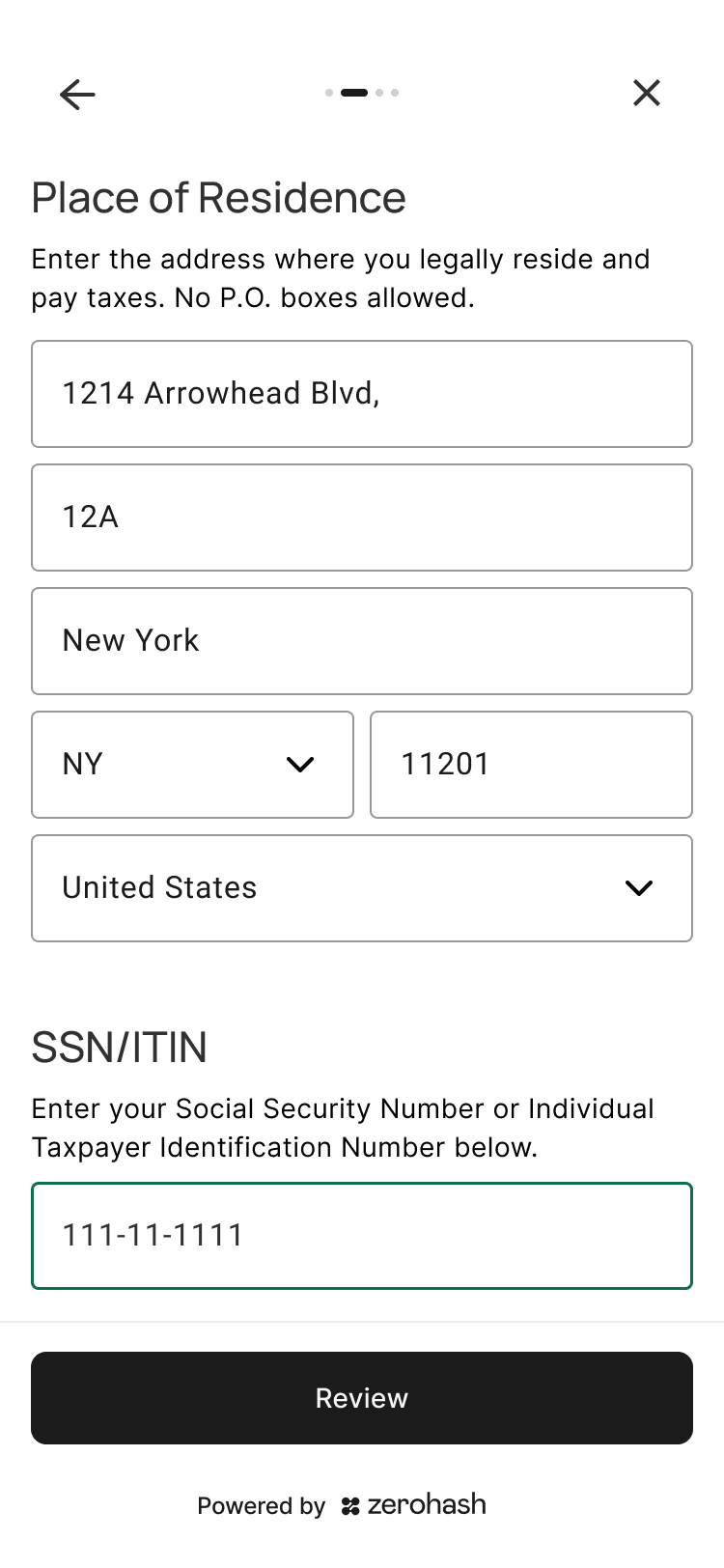
The tax ID field depends on the country of residence.
- U.S. residence. The field asks for an SSN or ITIN, in the format
000-00-0000. zerohash does not accept a foreign tax ID for a U.S. address. - Residence outside the U.S. The field asks for the tax ID of the country of residence. A checkbox below it reads "I am a U.S. citizen or U.S. taxpayer". The checkbox is clear by default.
- If the customer selects the checkbox, the field asks for an SSN or ITIN instead.
- The customer gives one tax ID only. zerohash does not collect the foreign tax ID of a U.S. person.
The SDK uses the residence and this checkbox to identify U.S. persons. The customer does not select a citizenship.
The certification checkbox (full_with_tax only)
full_with_tax only)The Confirm your information screen shows one certification checkbox. The checkbox is selected by default and stays above the footer.
U.S. persons (W-9). The checkbox reads:
Keep checked if you have not been notified by the IRS that you are subject to backup withholding.
I am not subject to backup withholding and this serves as a formal signature certifying W-9 requirements.
A Learn more link explains backup withholding.
If the customer clears the checkbox, a sheet asks them to confirm that they are subject to backup withholding.
- If they confirm, zerohash records them as subject to backup withholding. Onboarding continues as normal. zerohash does not reject them.
- If they go back, the checkbox stays selected.
Non-U.S. persons (W-8BEN). The checkbox reads:
I am not a U.S. person and I am the beneficial owner of this income.
Keep checked if you are an exempt foreign person for broker transactions.
If the customer clears the checkbox, a sheet asks whether they are a U.S. person. If they are, the SDK asks for their SSN or ITIN and shows the U.S. checkbox instead.
The customer's confirmation is their signature. zerohash records the certification time when it saves the record.
No certification (full_without_tax)
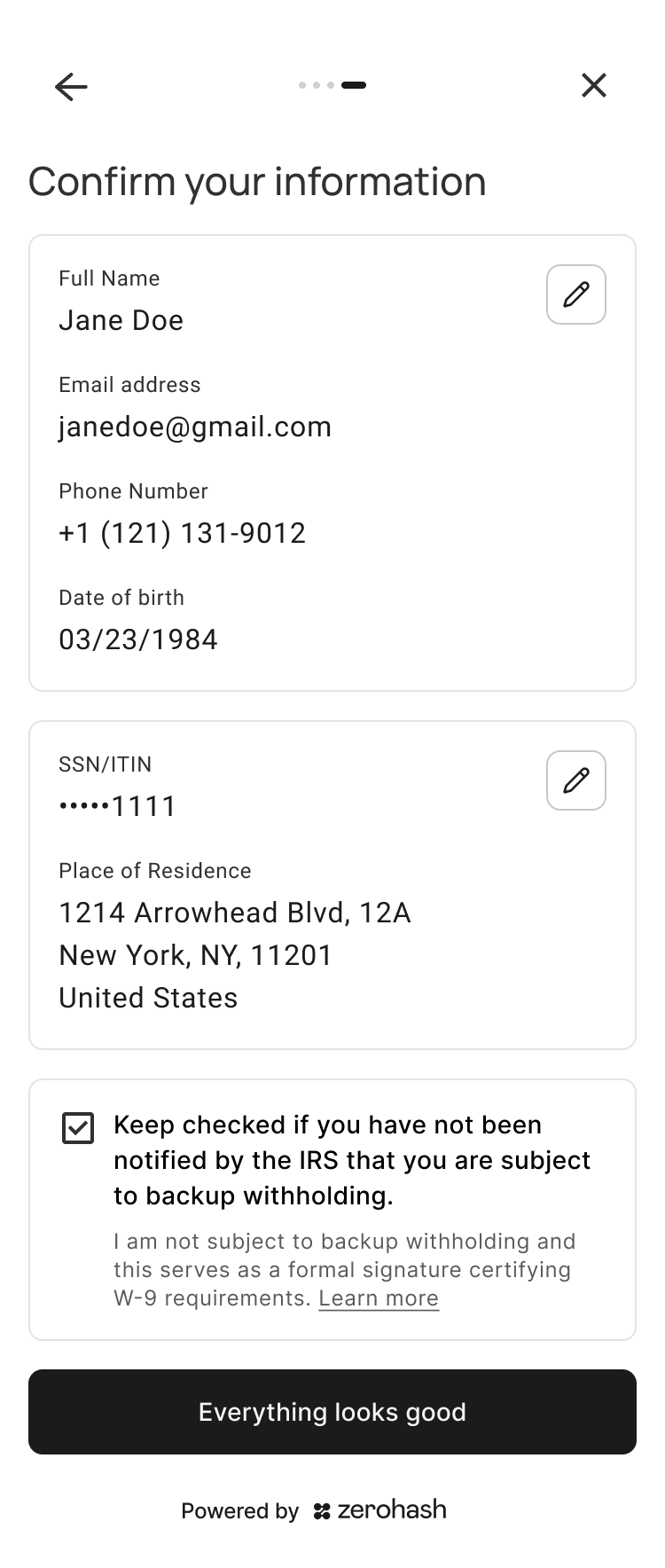
full_without_tax)The customer enters the same details, including the tax ID. The Confirm your information screen has no certification checkbox. The button reads Everything looks good.
Existing customers
Use tax_only to collect the tax certification from customers who are already onboarded. It works for customers onboarded through the SDK and for customers created through the API.
- On your server, request a client access token with the customer's
participant_codeand theupdate-participantpermission. - Open the Onboarding SDK with that token and
onboardingFlow: OnboardingFlow.TAX_ONLY.
import { AppIdentifier, OnboardingFlow } from 'zh-web-sdk';

sdk.openModal({
  appIdentifier: AppIdentifier.ONBOARDING,
  jwt: '<CLIENT_ACCESS_TOKEN>', // POST /client_auth_token with participant_code and "update-participant"
  onboardingFlow: OnboardingFlow.TAX_ONLY,
});
Use a client access tokenDo not use the onboarding access token from
POST /participants/onboarding_tokenfortax_only. That token identifies the customer by email and is for new customers only. If the token does not identify an existing participant, the SDK shows an error.
If your platform runs its own KYC through vendor reliance, you need zerohash approval before you use tax_only. With approval, your customers certify in the zerohash UI, so you do not need to build the screens yourself. Contact your account team to ask for approval.
In tax_only, the customer:
- Accepts the terms and conditions, if they have not used the Onboarding SDK before.
- Enters a tax ID, if zerohash does not have one on file.
- U.S. persons enter an SSN or ITIN.
- Non-U.S. persons enter the tax ID of their country of residence.
- Reviews the details that zerohash has on file. At launch, these details are read-only.
- Confirms the certification checkbox, the same as in
full_with_tax.
tax_only does not run identity verification again. The ONBOARDING_COMPLETED event reports the customer's existing KYC status. Do not wait for a new KYC result webhook.
Availability
zerohash turns on the new onboarding flows per platform. Contact your account team to turn them on. Until then, your customers see the current onboarding flow, without the tax certification. Customers who onboard through zerohash europe (EU/EEA) follow the EEA Tax Guidelines and do not complete a W-form.
Related guides
Updated 10 days ago