
Account Funding
Instantly fund an account anytime, anywhere
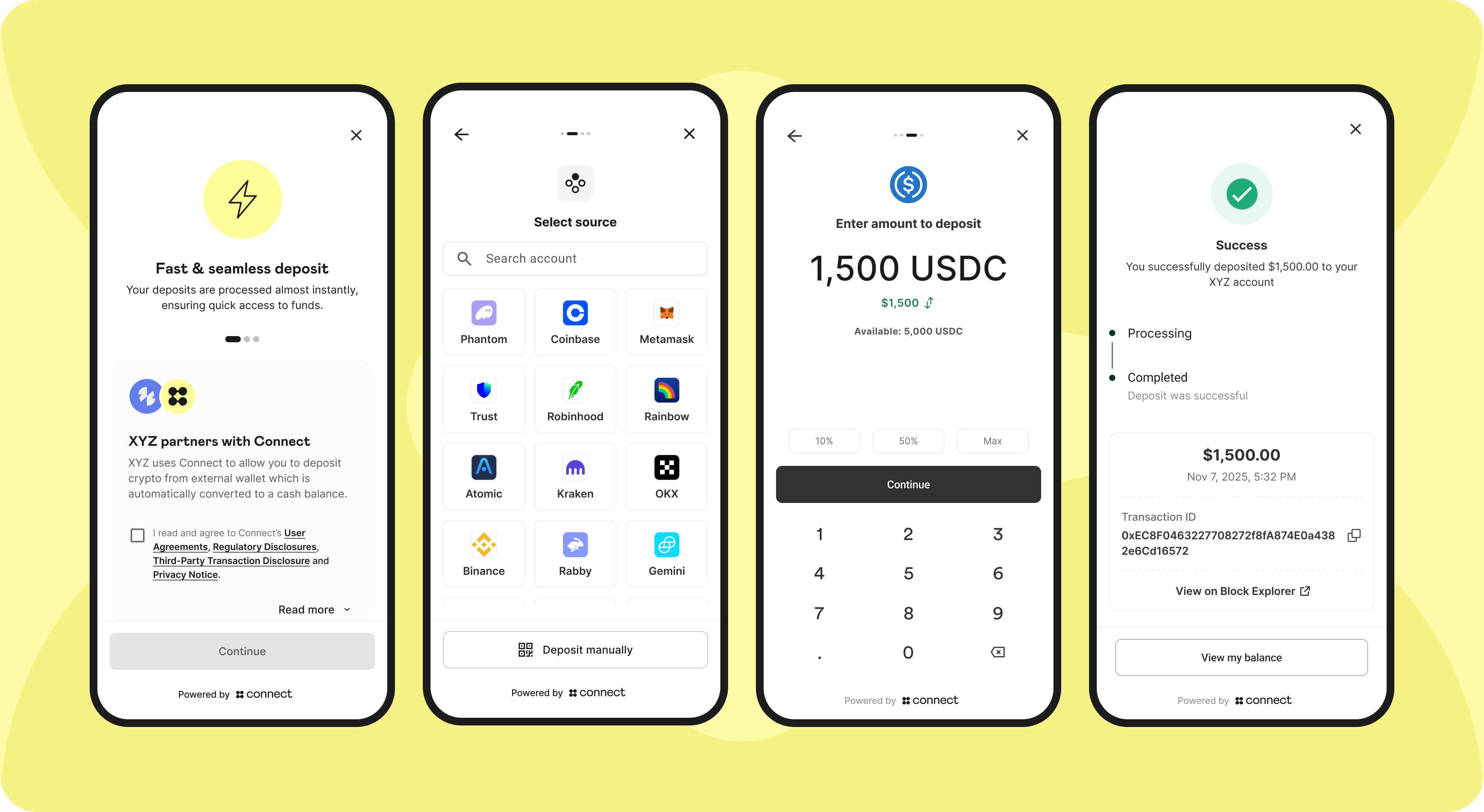
Pre-integration Steps
1. Create your Organization
Connect will onboard each new Organization in a white-glove manner. Reach out to your rep to get KYB requirements and step-by-step instructions.
You will receive your organization_id that uniquely represents your Organization. You will need this code for future API calls.
2. Configure your Organization
System configurations
- Supported assets: See supported assets here.
- Transfer methods: You can choose to enable any of the below 3, and within the Centralized Exchanges and Non-custodial wallets bullet each Organization can further modify which Auth integrations will be available your users:
- Centralized Exchanges
- Non-custodial Wallets
- Manual Transfers
public_key: You should generate a key-pair and share thepublic_keywith Connect so that we can validate the signature of requests sent by the Organization.
3. Webhook configurations
The first step is to provide Connect with the callback URL that Connect will emit event updates to.
4. Organization credentials
At the end of the onboarding process, each Organization will receive the following configuration details required to integrate with Connect:
organization_id: A unique identifier generated by Connect, used to identify the Organization within the Connect platform. (ie, 4789efea-e034-4e6f-b8a0-5289aacec427)- Connect API Credentials:
client_idandclient_secretpair generated by Connect, used by the Organization to authenticate backend requests to Connect APIsclient_id: a unique identifier such as 30da17fb-15b2-4723-a63c-0488356e1ed0client_secret: an encryption key such as 7/7+QhFYOH+yeA3KOxgykbbhvUyaCvIE1Z0oHCTLRoz8LDq3uBshZIrGo94GqMoDZ==
Integration Overview
At a high level, the SDK integration involves the following touchpoints:
1. Organization backend generates access token
The Organization generates an access token using the client_id and client_secret provided.
2. Organization backend initializes Connect Session
The Organization initiates a Connect Session by making an API call from their backend to Connect’s backend, which returns a jwt token. Connect APIs must be authenticated using jwt tokens generated in step 1 above.
3. Organization frontend initializes Connect Auth SDK
The Organization initializes the Connect Auth SDK by passing the jwt received in Step 2. The SDK automatically renders within the specified HTML container.
4. Organization frontend listens to Auth SDK callbacks
The Organization should listen to the Auth SDK callbacks to track the user journey, such as onClose, onDepositConfirmation, onDepositFailure, onWithdrawalConfirmation, onWithdrawalFailure
5. Organization backend listens to Webhooks
The Organization should handle webhook calls sent by the Connect backend to track deposit and withdrawal updates. See full webhook guide here.
Integration Specification - Deposits
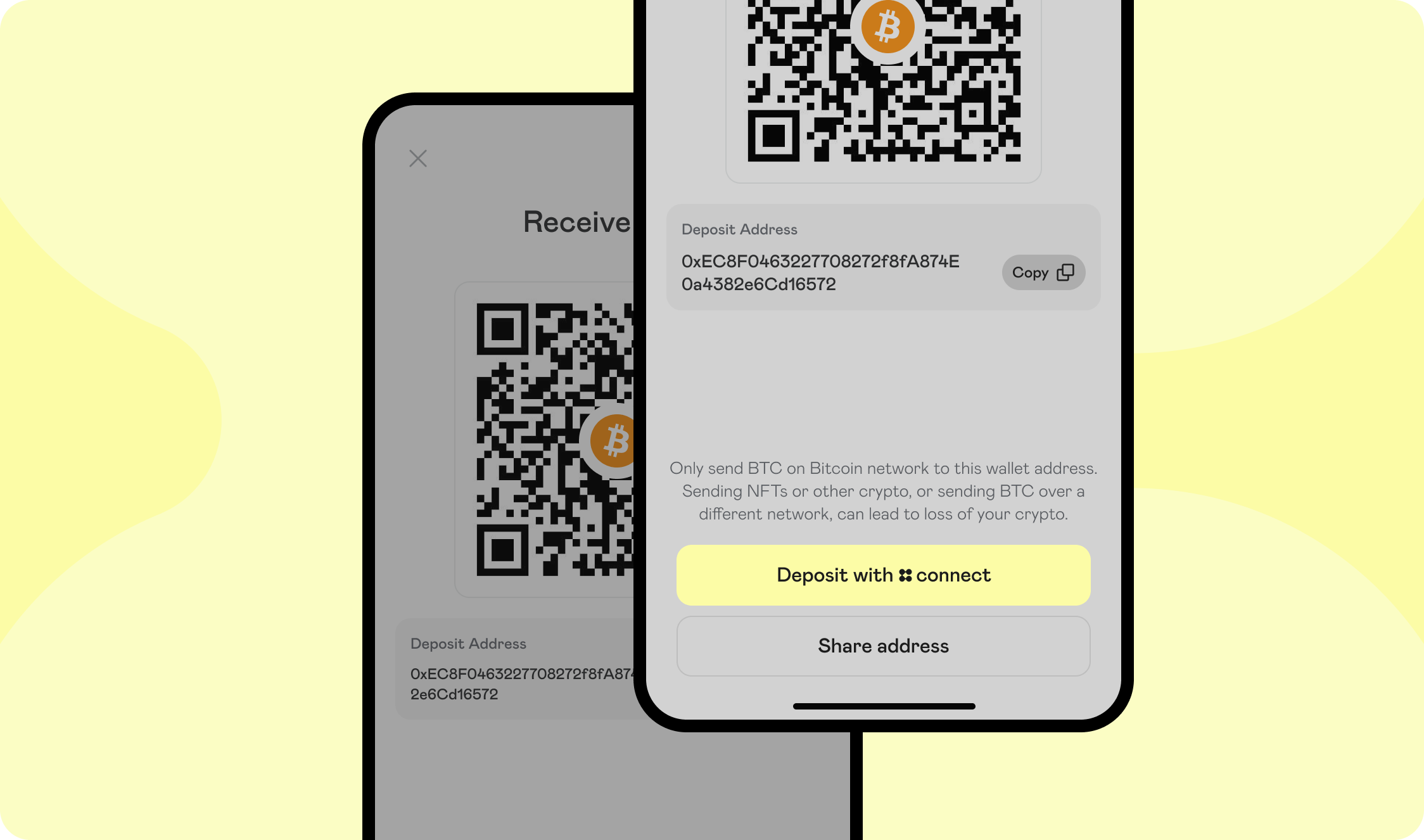
1. Organization presents Connect Auth as a transaction option
You should begin by adding Connect as an available option wherever users initiate crypto deposits - such as deposit screen, or any equivalent interface.
2. Onboard User
Only certain Organizations will qualify for our "reliance" onboarding model and will be able to submit customers via the POST /users endpoint. The alternative is to use our in-house Onboarding SDK where Connect will present the onboarding form and assume responsibility for KYC verification, ID verification, and a liveness check.
To onboard the user, make a POST /users call.
Request body:
{
"first_name": "John",
"last_name": "Smith",
"email": "[email protected]",
"phone_number": "9545551234",
"address_one": "1 Main St.",
"address_two": "Suite 1000",
"city": "Chicago",
"state": "IL",
"zip": "12345",
"country": "United States",
"date_of_birth": "1985-09-02",
"citizenship": "United States",
"tax_id": "123456789",
"risk_rating": "low",
"kyc": "pass",
"kyc_timestamp": 1630623005000,
"sanction_screening": "pass",
"sanction_screening_timestamp": 1630623005000,
"idv": "pass",
"liveness_check": "pass",
"signed_timestamp": 1630623005000,
"metadata": {},
"signed_agreements": [
     {
        "type": "connect_user_agreement",
        "region": "us",
        "signed_timestamp": 1712008721000
     }
 ]
}
The response will contain a participant_code
You can also query users via the GET /users endpoint. Example response:
{
"participant_code": "USER01",
"status": "approved",
"updated_at": "1630623005000",
"first_name": "John",
"last_name": "Smith",
"email": "[email protected]",
"phone_number": "9545551234",
"address_one": "1 Main St.",
"address_two": "Suite 1000",
"city": "Chicago",
"state": "IL",
"zip": "12345",
"country": "United States",
"date_of_birth": "1985-09-02",
"citizenship": "United States",
"tax_id": "123456789",
"risk_rating": "low",
"kyc": "pass",
"kyc_timestamp": 1630623005000,
"sanction_screening": "pass",
"sanction_screening_timestamp": 1630623005000,
"idv": "pass",
"liveness_check": "pass",
"signed_timestamp": 1630623005000,
"metadata": {},
"signed_agreements": [
     {
        "type": "connect_user_agreement",
        "region": "us",
        "signed_timestamp": 1712008721000
     }
 ]
}
You can listen to our User Status webhook events in order to become aware of status changes of the user. Status options:
| Status | Definition | Relevant to Reliance model? |
|---|---|---|
| submitted | Successfully submitted to <POST /participants/customers/new> and given a participant code, but has not yet been approved to transact. | Yes |
| pending_approval | Participant requires manual review by Connect before moving to an approved or rejected status. | No |
| approved | Participant code and relationships created and the participant passes necessary approvals to transact. | Yes |
| rejected | Participant who was rejected from becoming an active user; most often due to customer verification declines. | Yes |
| locked | Investigative state for the Connect/zerohash compliance team. | Yes |
| disabled | Indefinitely banned from Connect, but balances may exist in the participant account. Connect settlement team will divest existing balances. | Yes |
3. Generate an Access Token
When the user selects the Connect button, initiate the following calls:
Endpoint: POST /oauth/token
Request body:
{
  "client_id":"30da17fb-15b2-4723-a63c-0488356e1ed0",
  "client_secret":"7/7+QhFYOH+yeA3KOxgykbbhvUyaCvIE1Z0oHCTLRoz8LDq3uBshZIrGo94GqMoDZ==",
  "organization_id": "4242f55a-37af-47da-afaa-915de877405d"
}
Response status: 200 OK
{
  "access_token":"eyJz93a...k4laUWw",
  "token_type":"Bearer",
  "expires_in":86400
}
By default, Access tokens are valid for 1 hour. This is configurable depending on the Organization's requirements. Get in touch with your Connect representative to request a custom token expiration policy or to discuss security best practices.
4. Initializing a Connect Session
Endpoint: POST /sessions
Request headers:
client-id: 242f55a-37af-47da-afaa-915de877405d // this is your organization_id
authorization: Bearer ... // this is the access token from the previous step
signature: CM/PtaccBFKdsu...
timestamp: 1760484866 // current timestamp
Request body:
{
  "account": {
    "reference_id": "USER01" // the End User's participant_code that was created via the POST /users API call
  },
  "session": {
    "metadata": {
	// The Organization can send in any metadata that will be performed in subsequent webhook calls
    }
  },
  "scopes": [
    "user:deposit:send" // enum: "user:deposit:send" || "user:withdrawal:send"
  ]
}
Response status: 200 OK
Response body:
{
   "jwt": "eyJhbGciOiJIUzI1NiIsInR5cCI6IkpXVCJ9...",
   "expires_in": 3600
}
Decoded jwt:
{
  "iss": "connect",
  "sub": "3dfb9dc0-9c00-4673-bc2e-5024ae62166d", // Account Id
  "iat": "2025-07-24T15:42:07.123456789Z",
  "exp": "2025-07-24T15:42:07.123456789Z",
  "jti": "9b2e0b75-00dc-4f5f-a11b-c48d46b16e15",
  "organization": {
    "id": "4789efea-e034-4e6f-b8a0-5289aacec427"
  },
  "account": {
    // Connect Generated
    "id": "16b0e957-f3fd-41d0-b312-f2ec291de6e4",

    // Unique User Account identifier assigned by the Organization
    "reference_id": "USER01"
  },
  "session": {
    // Connect generated
    "id": "16b0e957-f3fd-41d0-b312-f2ec291de6e4"
  }
}
5. SDK Flow
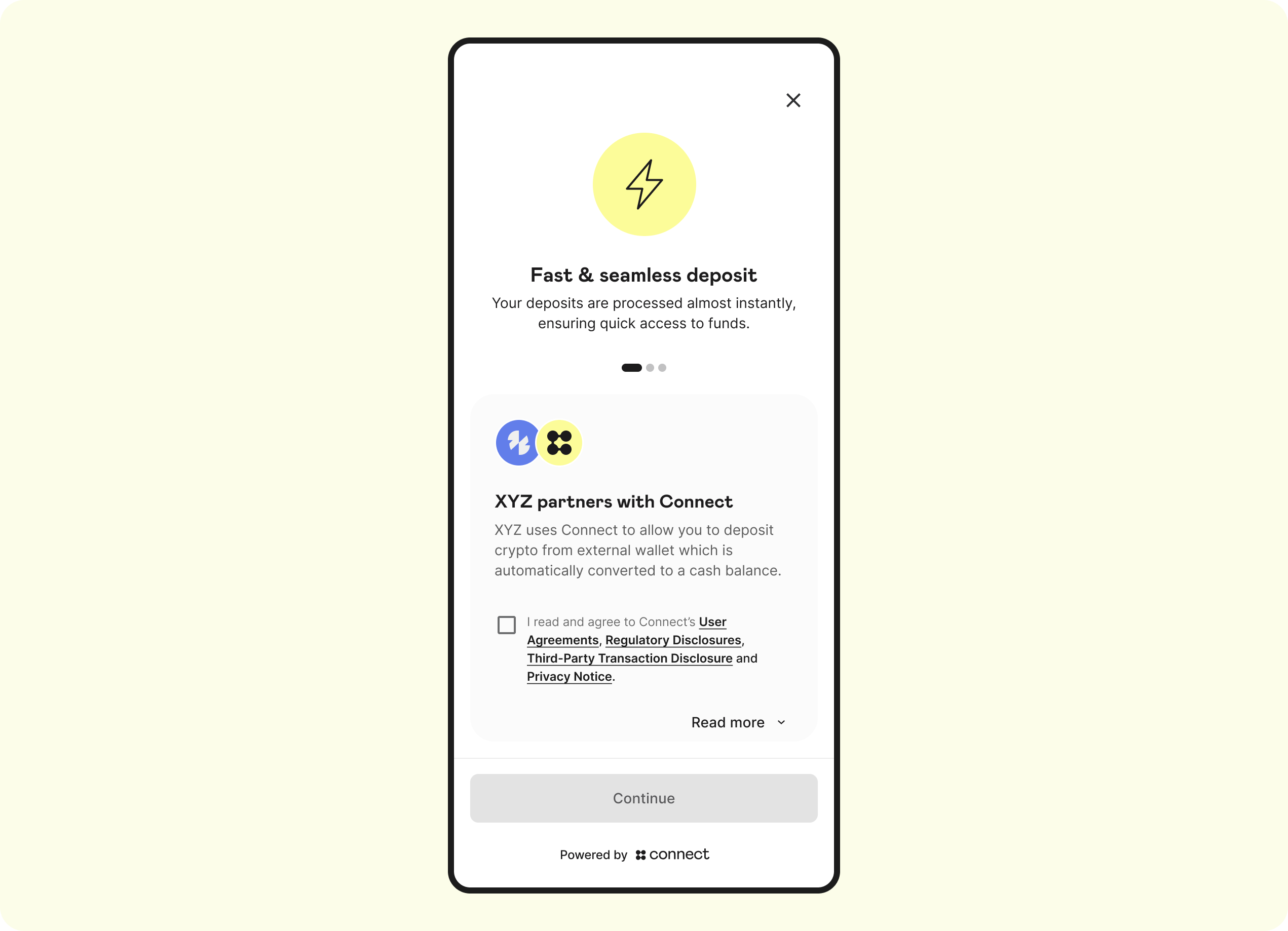
Landing screen
The Landing Page is the first screen that the user will see. This screen displays the Auth Terms, Privacy Policy, Regulatory Disclosures, and captures explicit consent for the terms of this product:
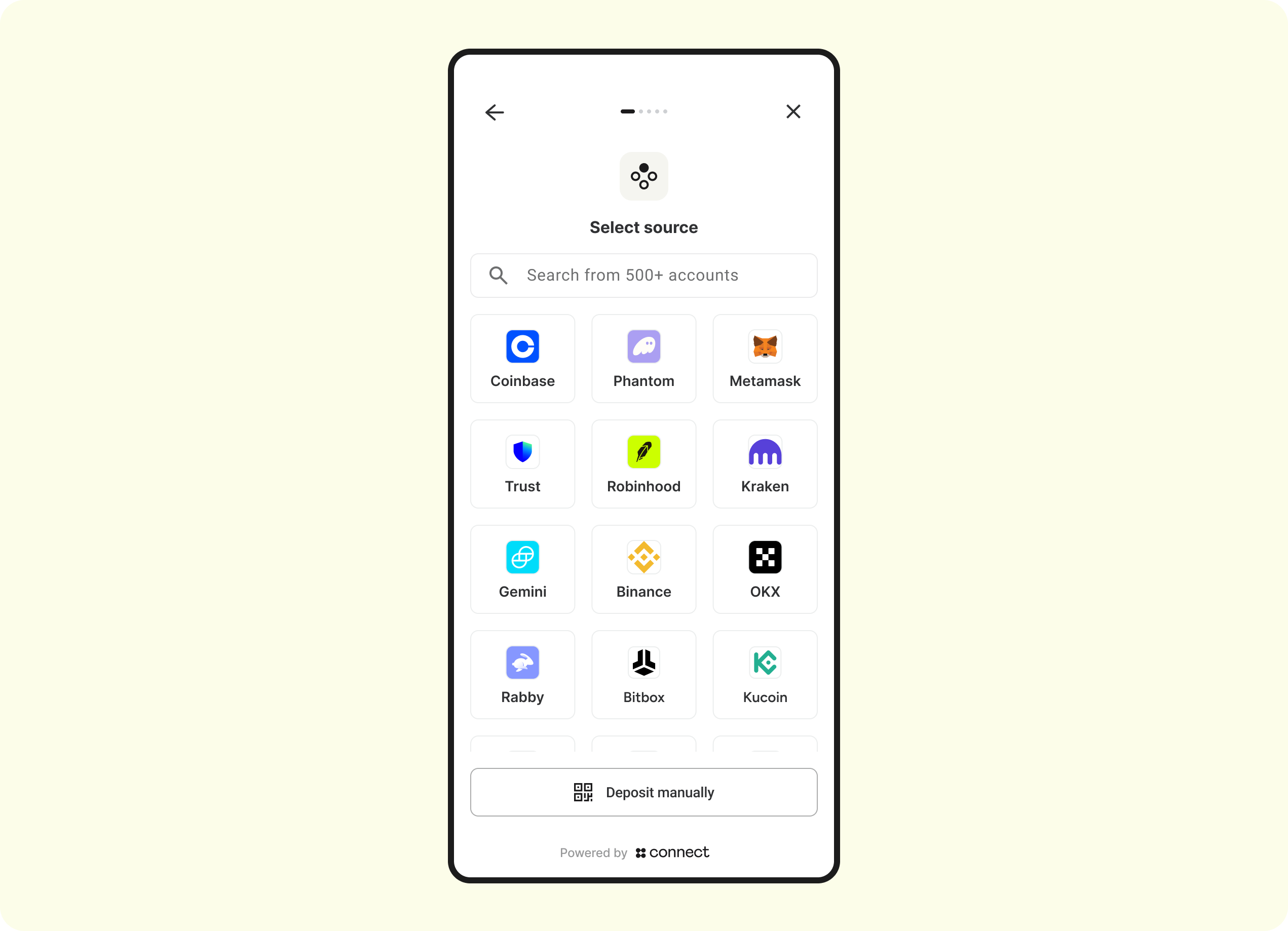
Menu screen
The Menu screen allows the customer select the Auth integration centralized exchange or non-custodial wallet to link and ultimately pull funds from.
Enter exchange credentials
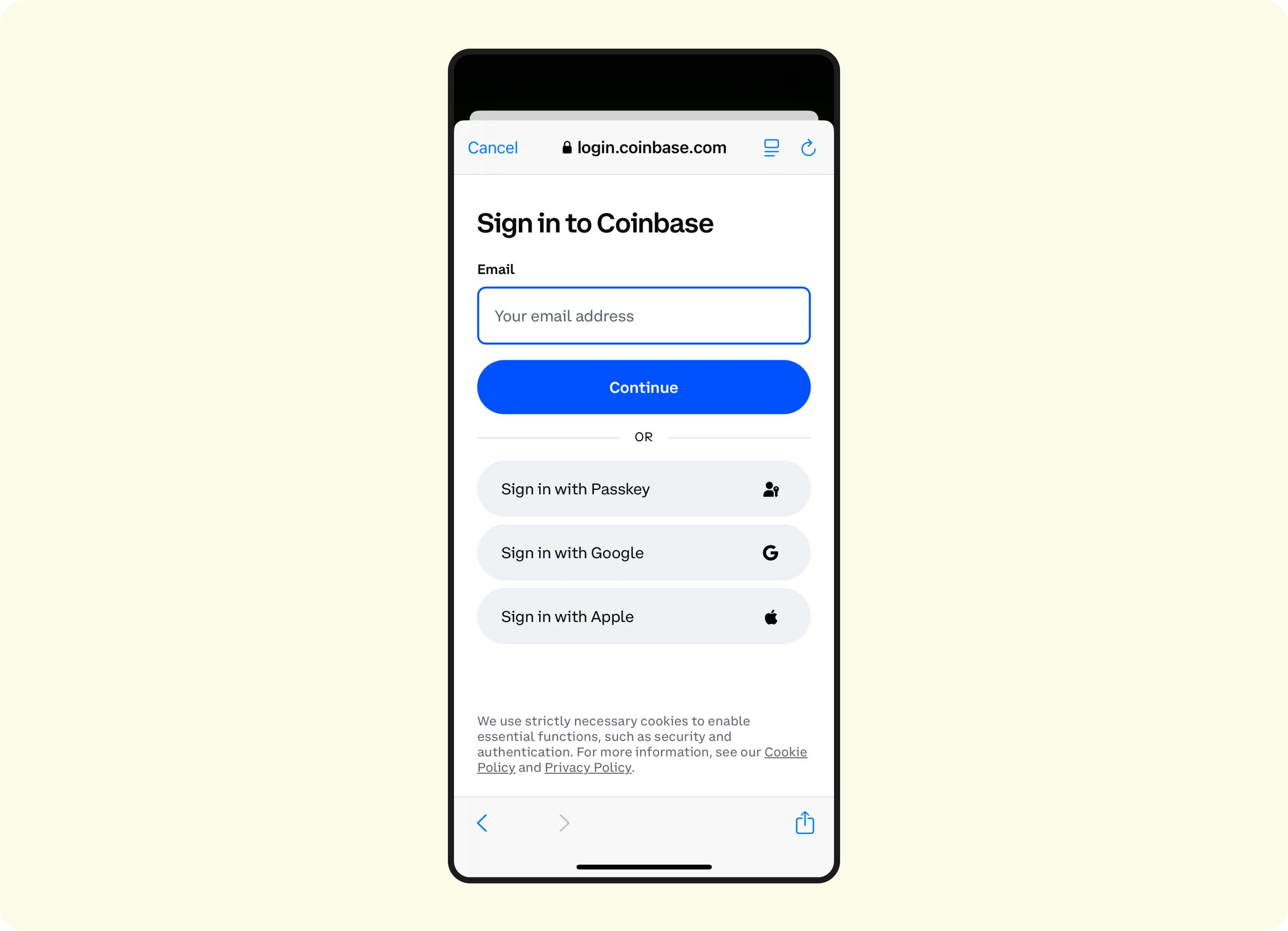
- Depending on what is selected, the Auth integration-specific sign-in flow will be triggered. See here for each integration's specific workflow.
- Regardless of Auth Lite vs. Auth Validate, users will be forced to enter their credentials
- Only the Auth Validate will we perform the account-matching
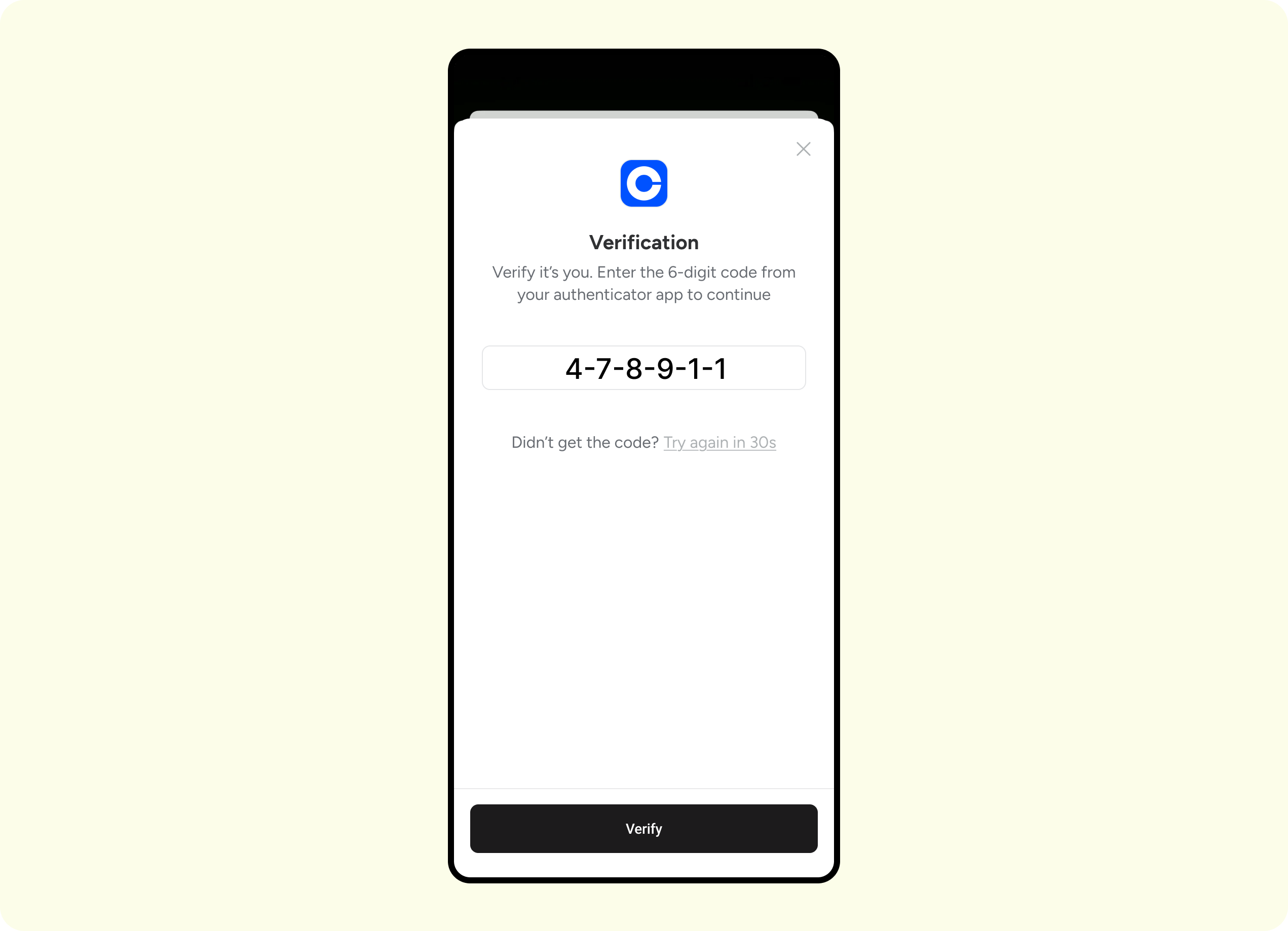
Exchange - 2FA
- Depending on the user's settings at the exchange or wallet, they will be asked to complete some form of 2FA (ie, SMS, Authenticator, Passkey, etc)
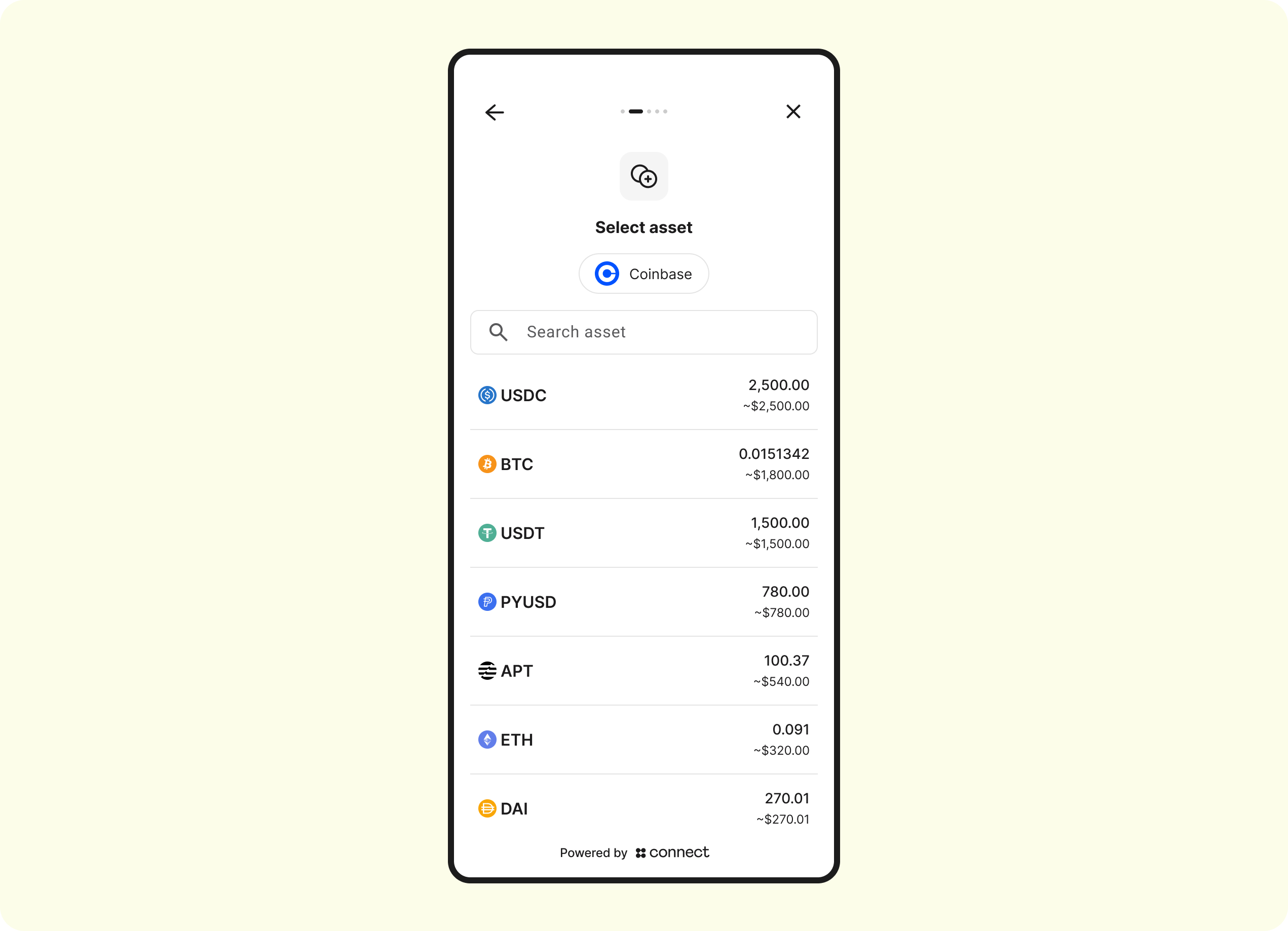
Select Asset
Connect will display the current balances of whichever Auth integration was selected:
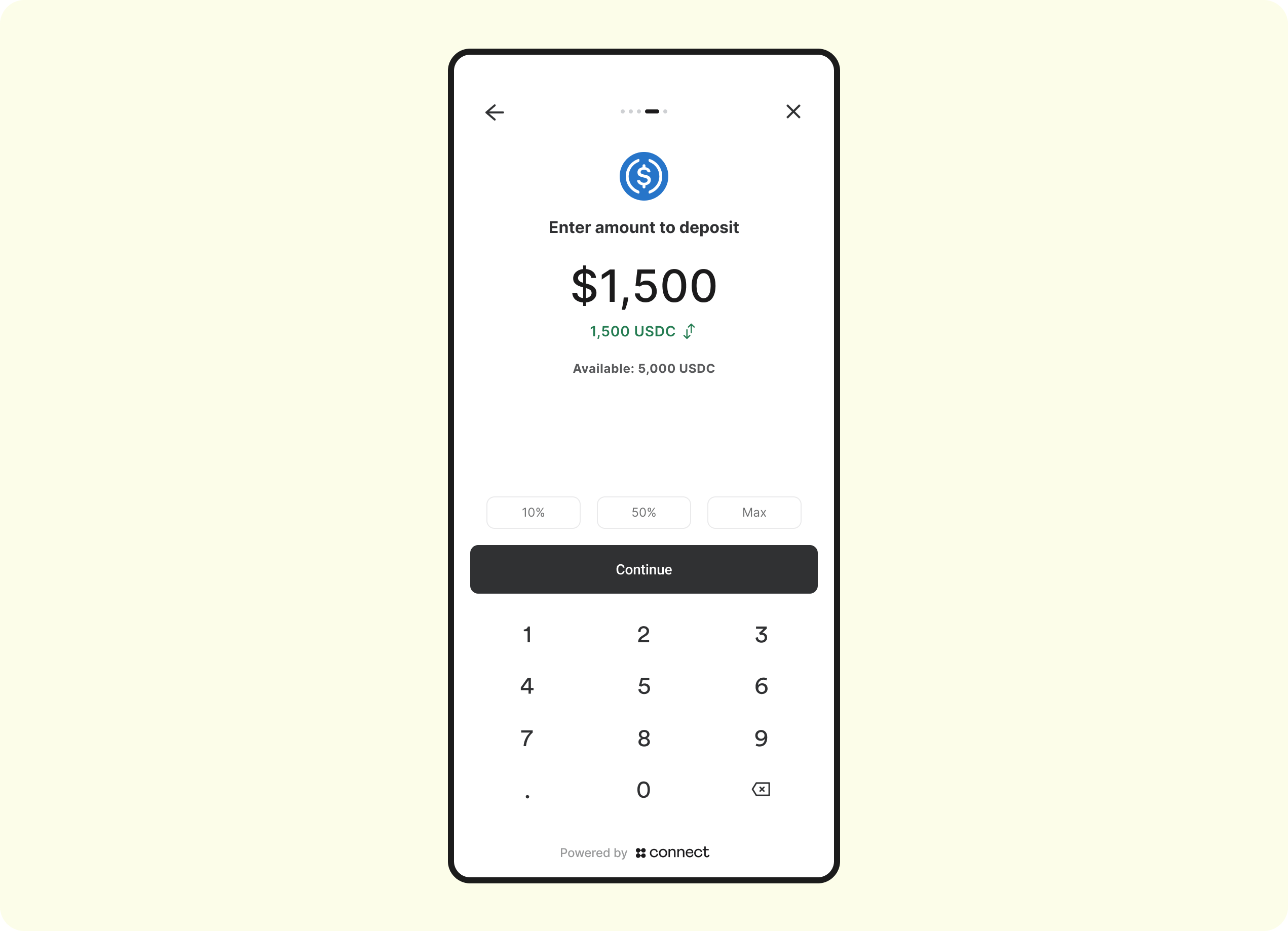
Enter amount
The customer will now specify the amount of crypto/stablecoins to deposit:
Review
The customer will be asked to review the details of the deposit:
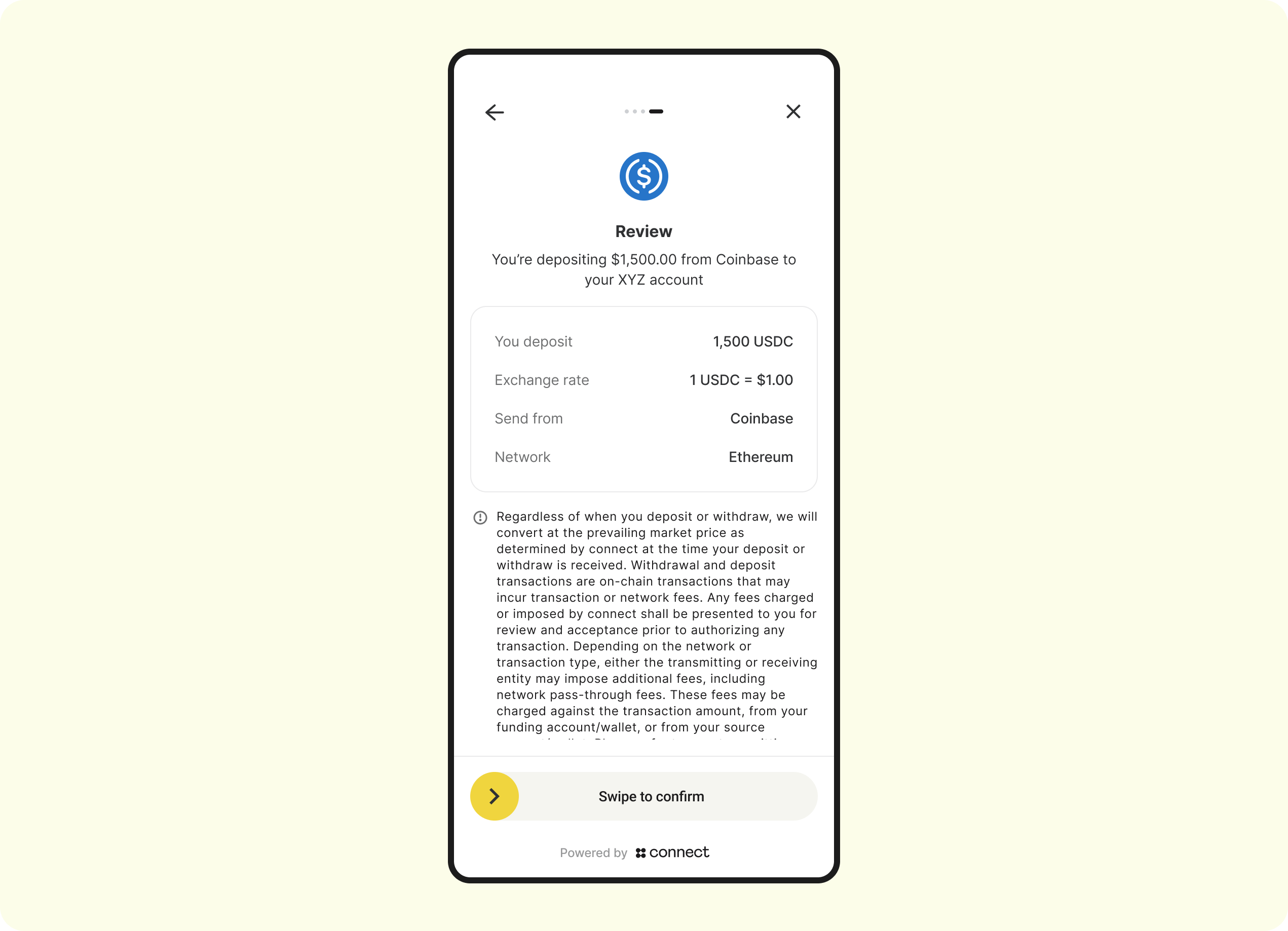
Note: the above depicts a mobile use case. For web, the SDK will automatically detect this and display a button instead of a slider
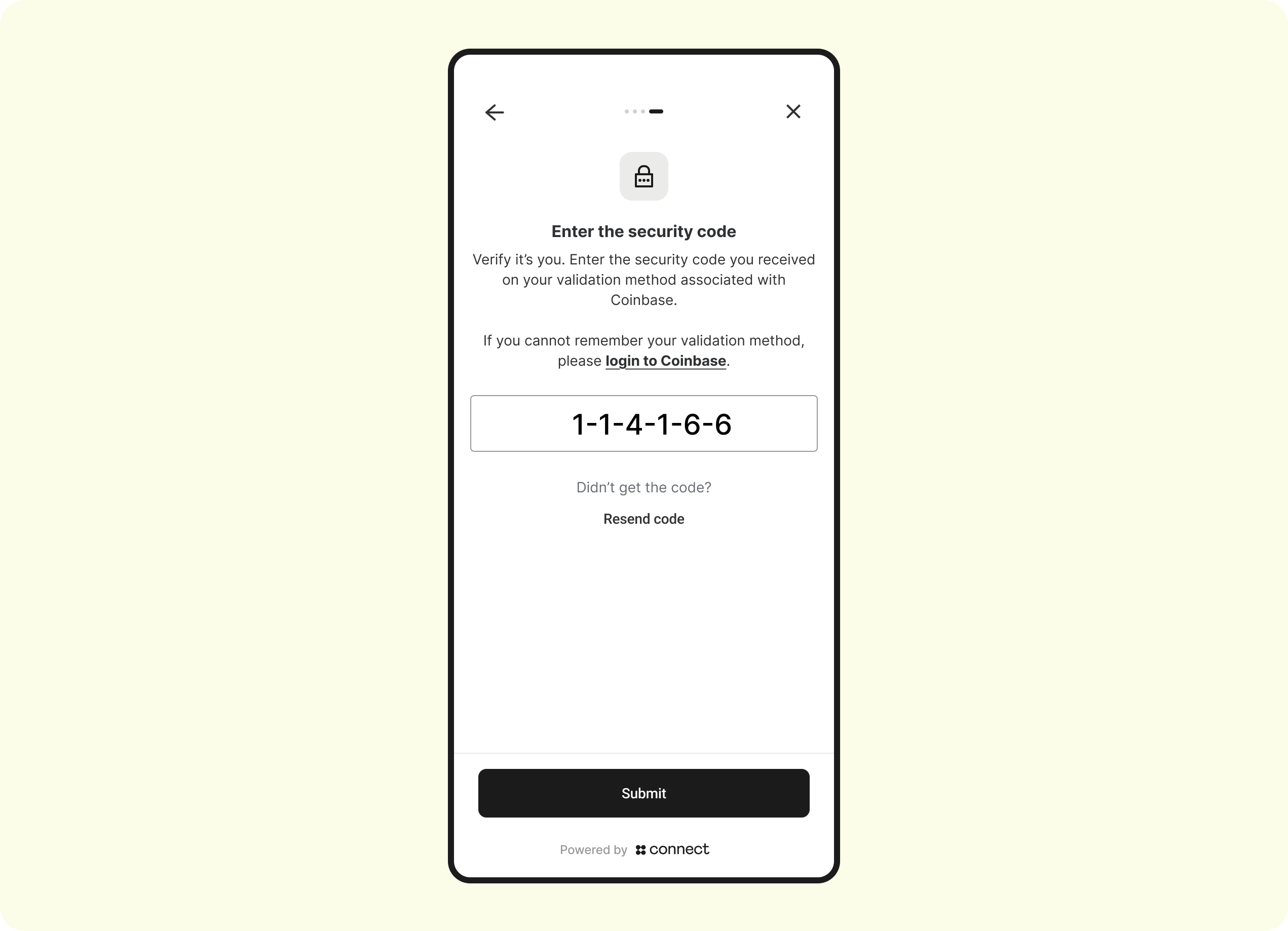
Auth - 2FA
Depending on the user's exchange configuration, it is typical for user's to be forced to perform another 2FA assertion before any money movement takes place. Example screen:
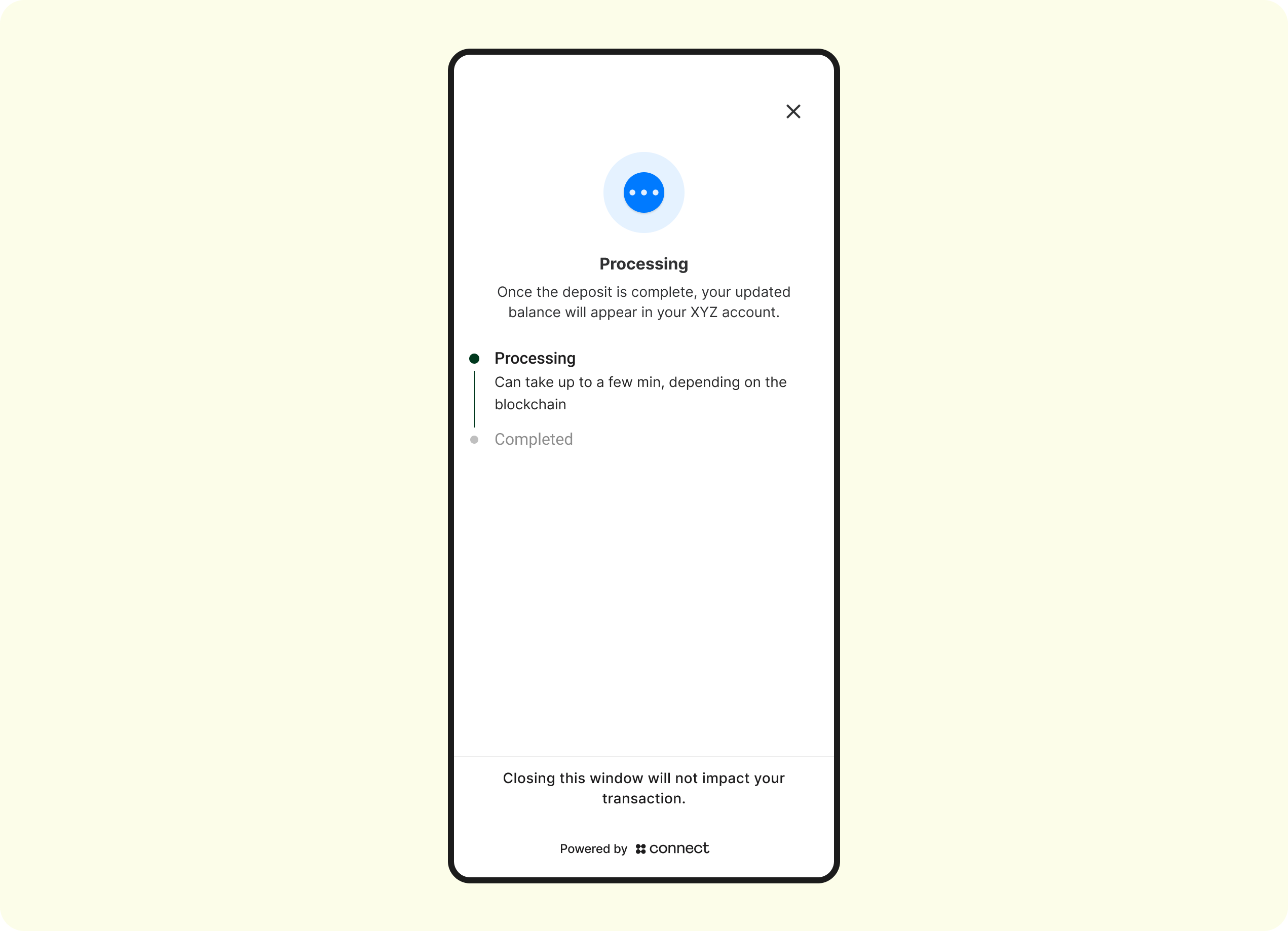
Deposit processing
The deposit has now been broadcasted on-chain and is en-route to Connect. The customer can choose to stay on this screen to monitor the progress, or navigate away (navigating away from this screen will not affect the completion of the deposit):
Deposit failed
EXTREMELY RARE
The below screen will display after the above Processing screen in the following 2 scenarios:
- The connected-accounts' (ie, Coinbase) systems failed to process the deposit
- The blockchain that the asset was sent on-chain was down
In both cases, the user's account at the connected account will be re-credited, and the user is expected to try their transaction again.
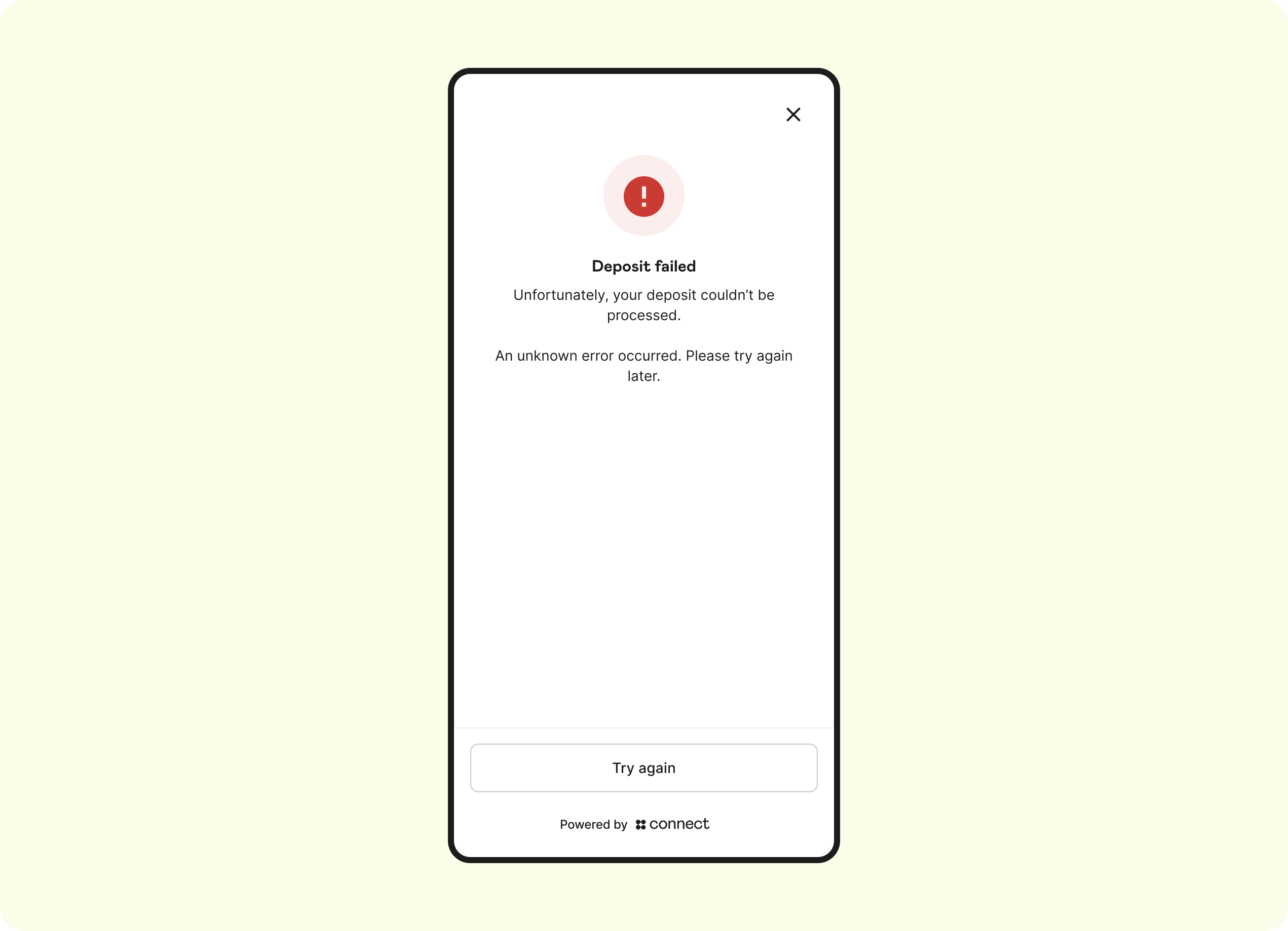
If the user selects Try Again , then the SDK will return the user back to the Menu Screen where they can retry the flow
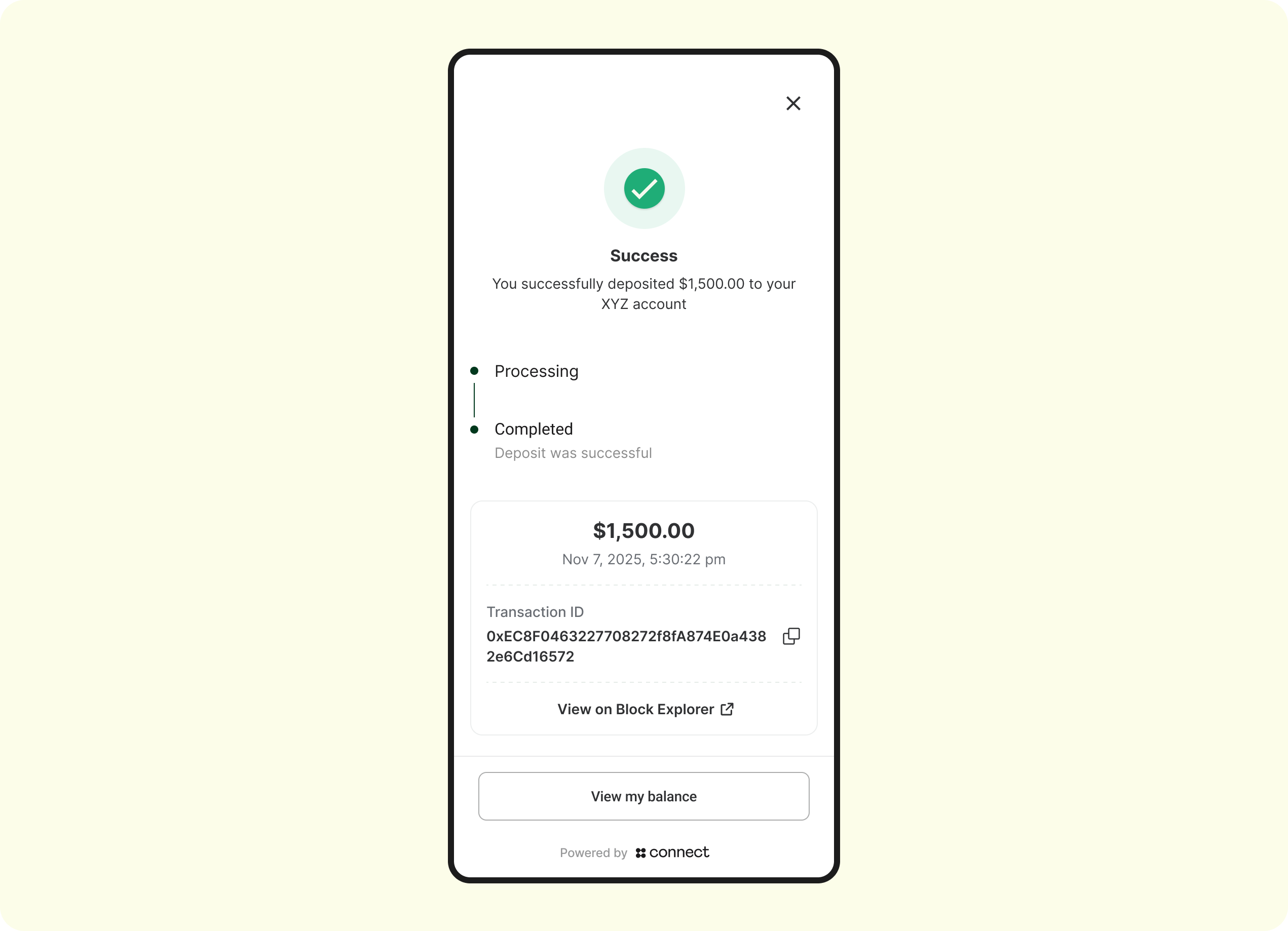
Deposit completed
The deposit has confirmed on-chain, Connect has sent the Auth Completed webhook and you should be credit the customer's balance on your end:
6. Deposit Webhooks
Platforms can receive webhooks that allow you to become aware of certain milestones of the transaction. Get in touch with a Connect or zerohash rep to have your callback URL's configured. See deposit webhook guide here.
7. Get Transactions
You can query the GET /transactions endpoint in order to get a list of past transactions. Example response:
{
  "message": [
    {
      "participant_code": "USER01",
      "fund_asset": "USDC.ETH",
      "deposited_asset": "USDC.ETH",
      "rate": "1",
      "quoted_currency": "USD",
      "source_address": "0xA32A6aA6a3B87b49BeaB01393e2020C3C191CD61",
      "deposit_address": "0xF6C6E7d76Ec47F992aEbF46987879a4E3991a03b",
      "quantity": "100",
      "notional": "100",
      "fund_id": "29e6d7b8-d604-4212-86ee-998fef35505e",
      "fund_timestamp": 1708631671631,
      "deposit_timestamp": 1708631681631,
      "transaction_id": "ec963207-69f4-44d0-9251-2977dda86fcd",
      "account_label": "general",
      "success": true,
      "status_reason": "success",
      "reference_id": "ba97133e-ab15-4c86-86c1-86671b8420bc",
      "raw_fee_bps": "1.5",
      "raw_fee_notional": "30",
      "deposit_fee_bps": "1.5",
      "deposit_fee_notional": "30",
      "source": {
        "type": "CUSTODIAL",
        "integration": "coinbase"
      }
    }
  ],
  "page": 1,
  "page_size": 50,
  "total_pages": 1
}
Integration Specifications - Withdrawal
1. Generate an Access Token
Endpoint:
Request body:
{
  "client_id":"30da17fb-15b2-4723-a63c-0488356e1ed0",
  "client_secret":"7/7+QhFYOH+yeA3KOxgykbbhvUyaCvIE1Z0oHCTLRoz8LDq3uBshZIrGo94GqMoDZ=="
}
Response status: 200 OK
{
  "access_token":"eyJz93a...k4laUWw",
  "token_type":"Bearer",
  "expires_in":86400
}
By default, Access tokens are valid for 1 hour. This is configurable though depending on the Organization's requirements. Get in touch with your Connect representative to request a custom token expiration policy or to discuss security best practices.
2. Initializing a Connect Session
Endpoint: POST /v1/sessions
Request body:
{
  "account": {
    "reference_id": "USER01" // the End User's participant_code that was created via POST /users within zerohash
  },
  "session": {
    "metadata": {
	// The Organization can send in any metadata that will be performed in subsequent webhook calls for reconciliation purposes
    }
  },
  "scopes": [
    "user:withdrawal:send" // enum: "user:deposit:send" || "user:withdrawal:send"
  ]
}
Response status: 200 OK
Response body:
{
  "token": {
    "jwt": "eyJhbGciOiJIUzI1NiIsInR5cCI6IkpXVCJ9...",
    "expires_in": 3600
  }
}
Decoded jwt:
{
  "iss": "connect",
  "sub": "3dfb9dc0-9c00-4673-bc2e-5024ae62166d", // Account Id
  "iat": "2025-07-24T15:42:07.123456789Z",
  "exp": "2025-07-24T15:42:07.123456789Z",
  "jti": "9b2e0b75-00dc-4f5f-a11b-c48d46b16e15",
  "organization": {
    "id": "4789efea-e034-4e6f-b8a0-5289aacec427"
  },
  "account": {
    // Connect Generated
    "id": "16b0e957-f3fd-41d0-b312-f2ec291de6e4",

    // Unique User Account identifier assigned by the Organization
    "reference_id": "USER01"
  },
  "session": {
    // Connect generated
    "id": "16b0e957-f3fd-41d0-b312-f2ec291de6e4"
  }
}
4. SDK Flow
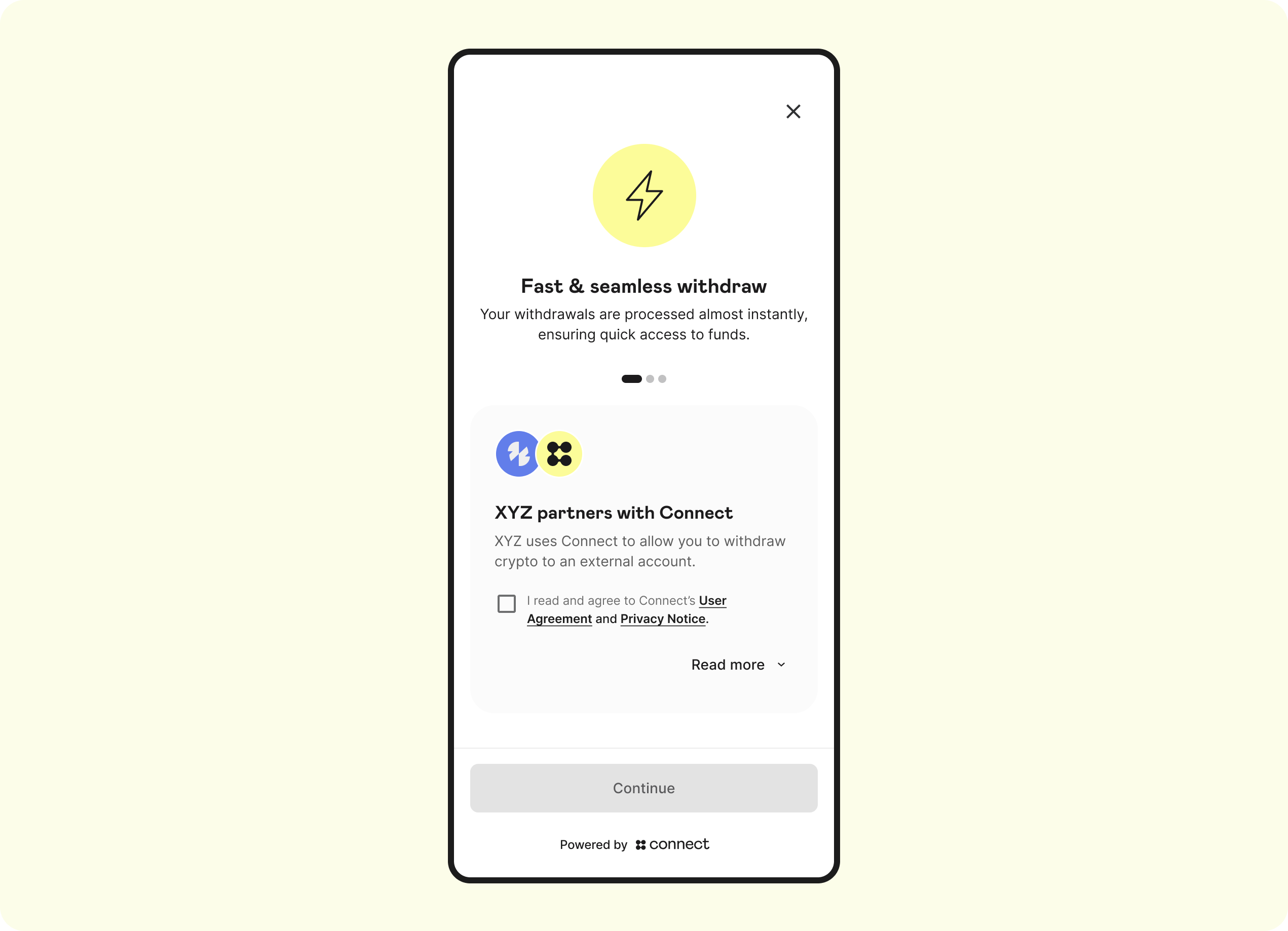
Landing screen
The Landing Page is the first screen that the user will see. This screen displays the Auth Terms, Privacy Policy, Regulatory Disclosures, and captures explicit consent for the terms of this product:
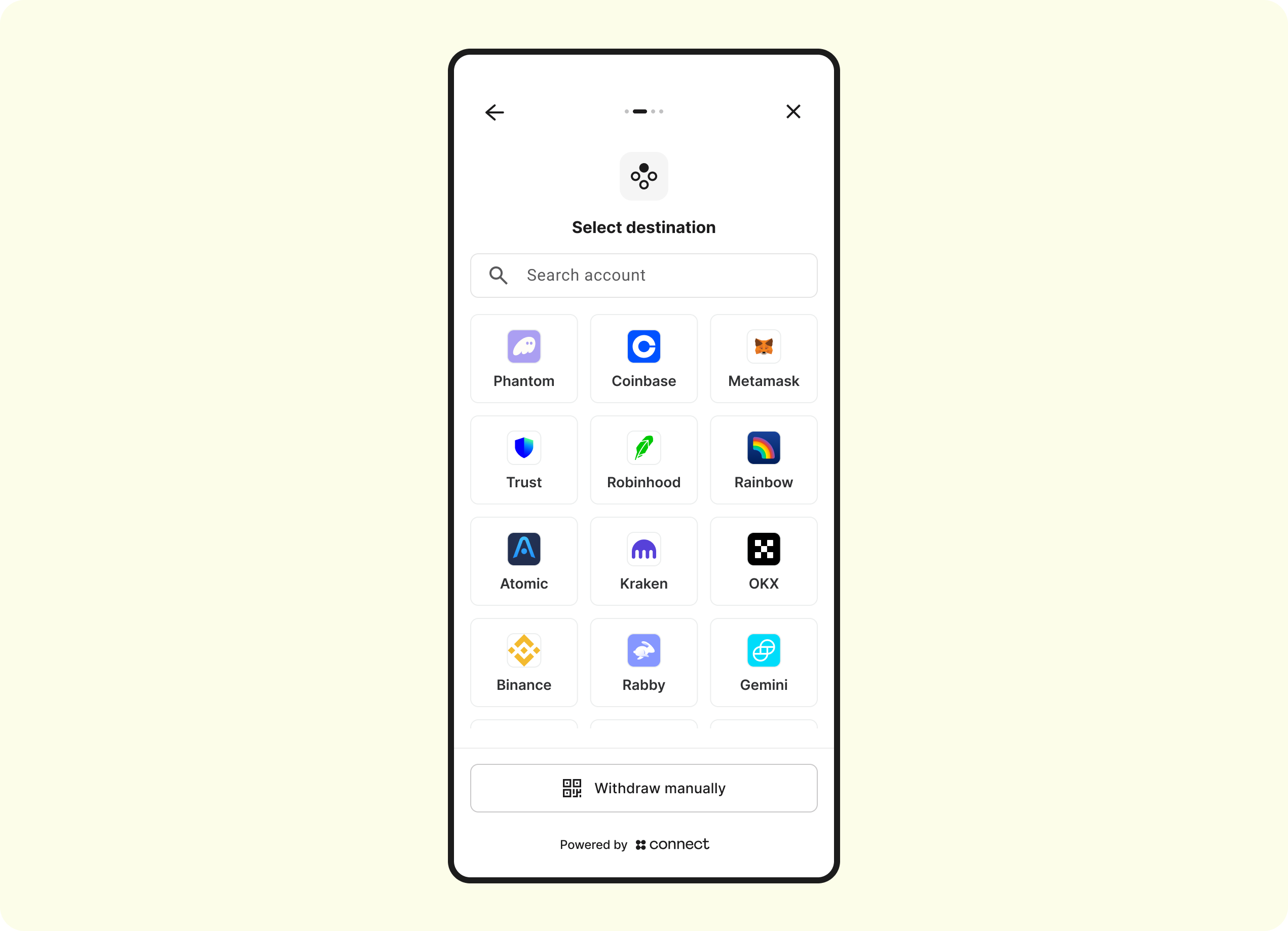
Menu screen
The Menu screen allows the customer select the Auth integration centralized exchange or non-custodial wallet to link and ultimately withdraw to.
Enter exchange credentials
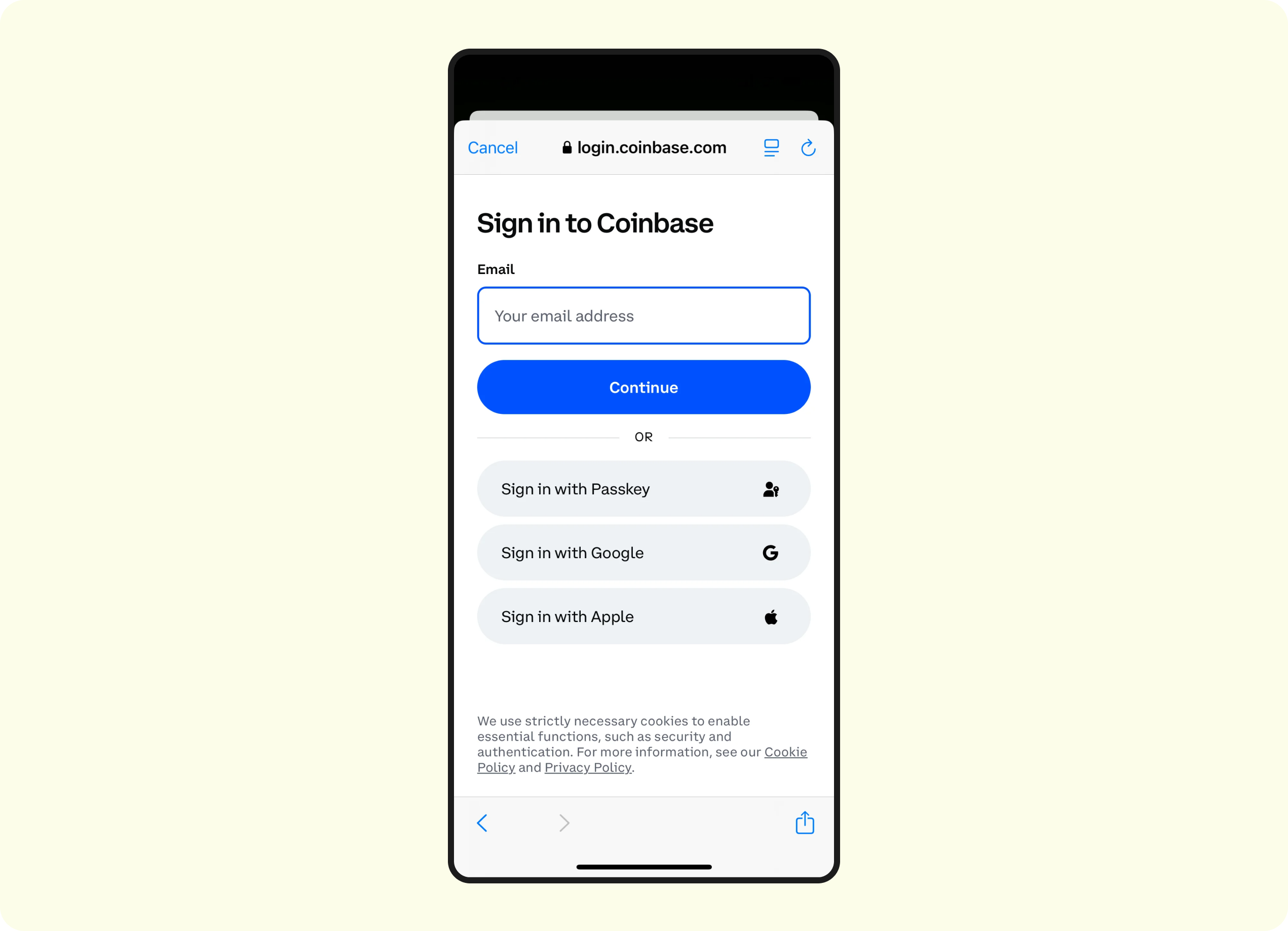
- Depending on what is selected, the Auth integration-specific sign-in flow will be triggered. See here for each integration's specific workflow.
- Regardless of Auth Lite vs. Auth Validate, users will be forced to enter their credentials
- Only the Auth Validate will we perform the account-matching
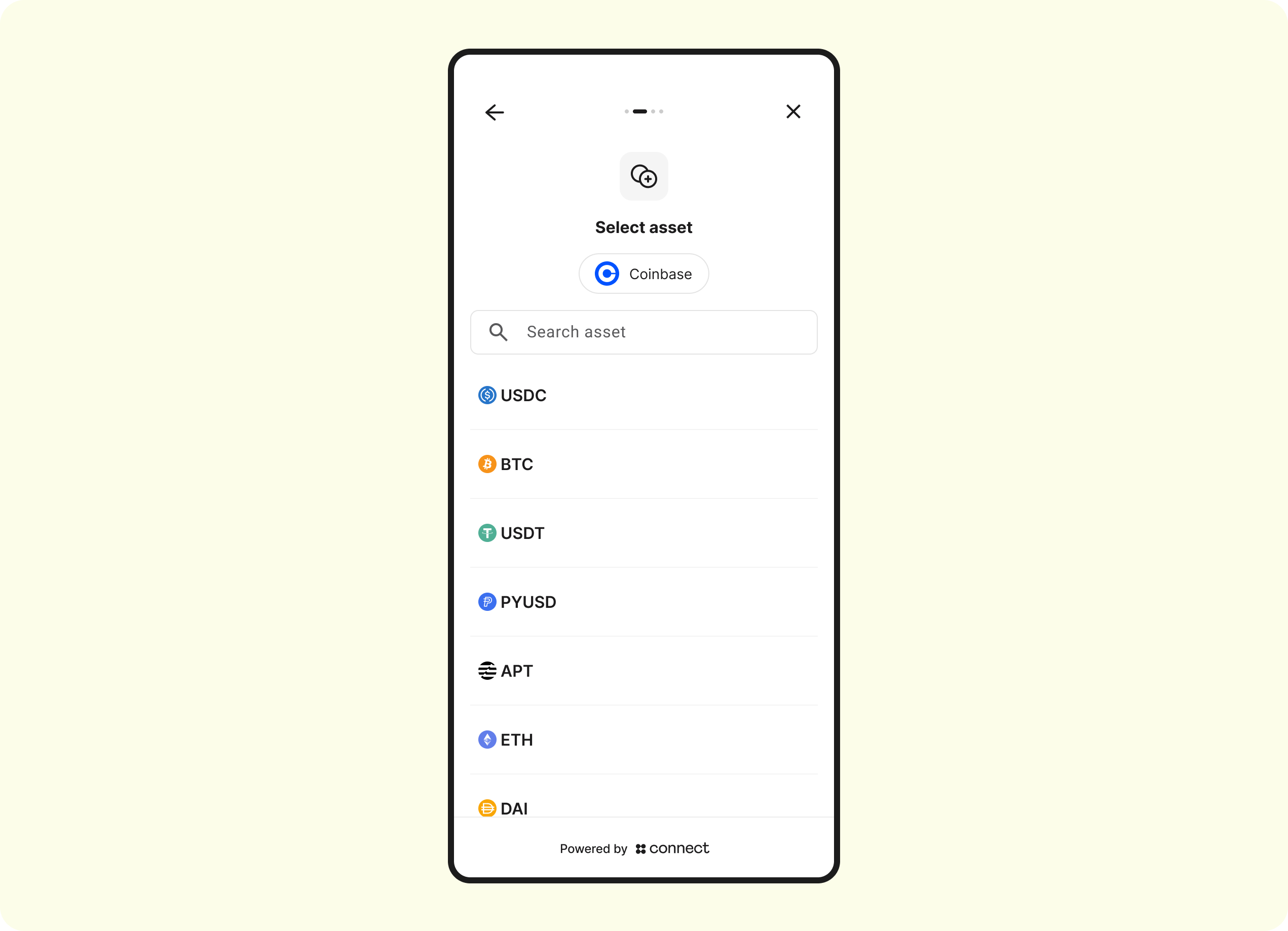
Select Asset
Select an asset to withdraw to:
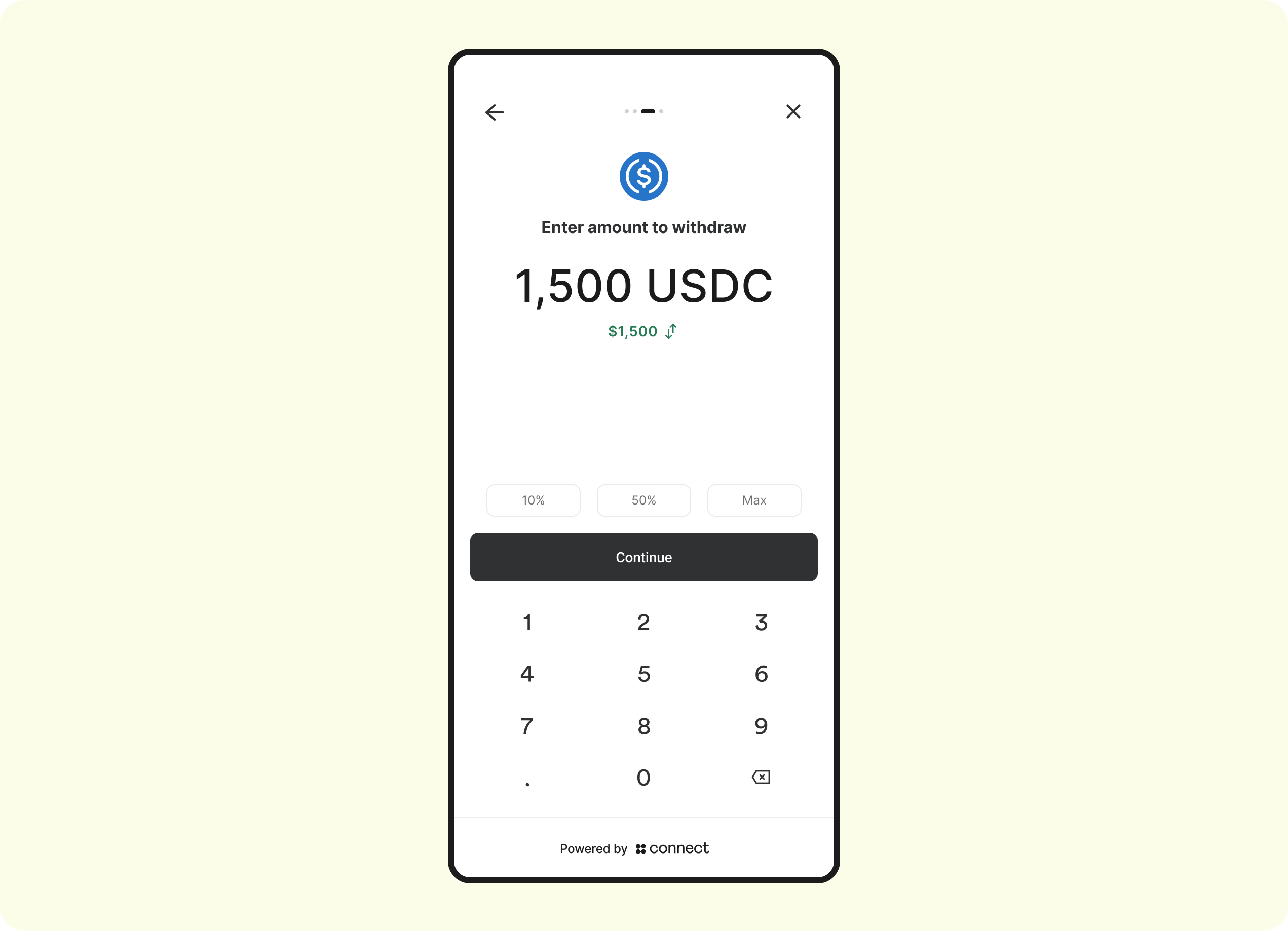
Enter amount
The customer will now specify the amount of crypto/stablecoins to withdraw:
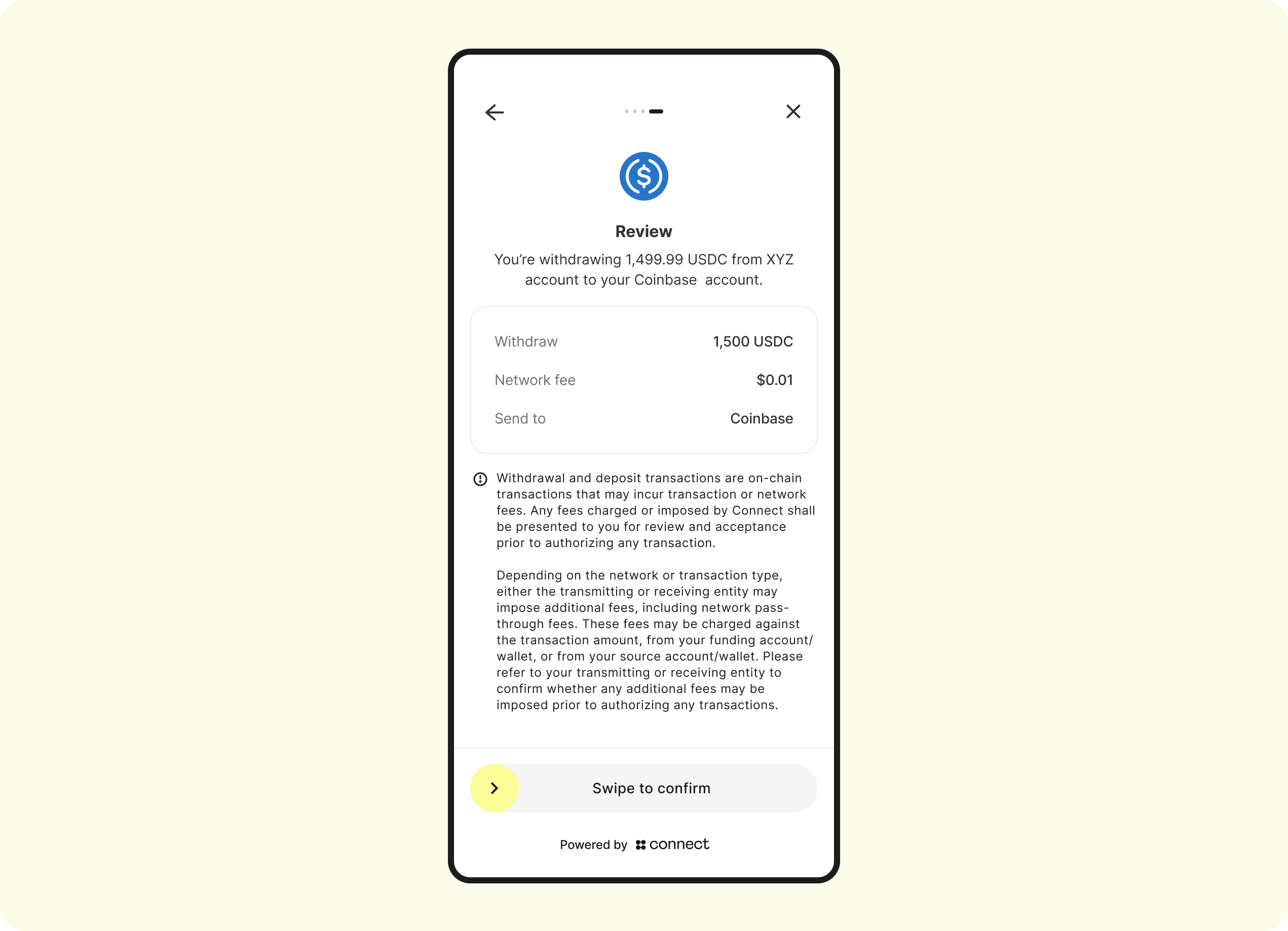
Review
The customer will be asked to review the details of the withdraw:
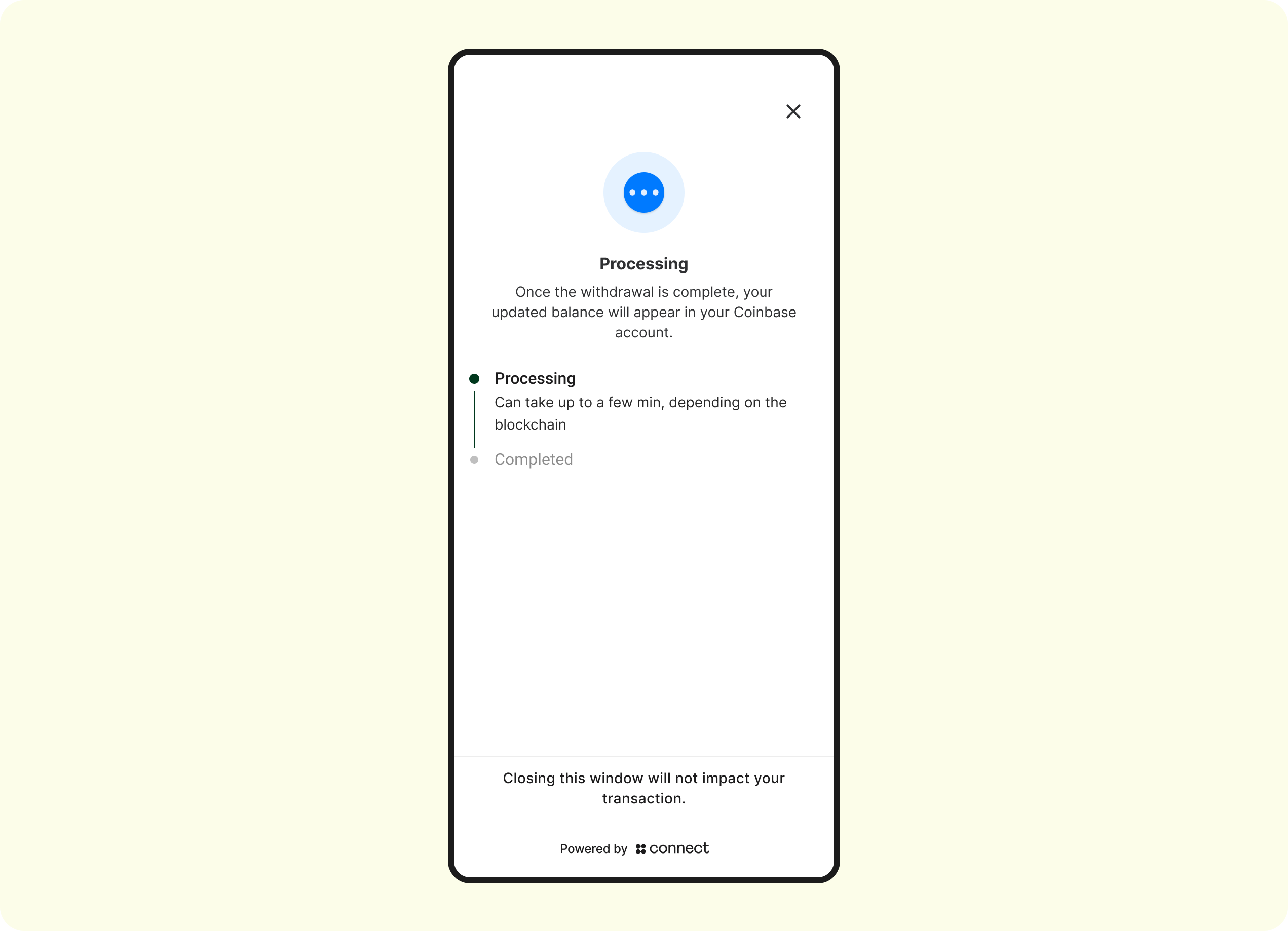
Withdrawal processing
The withdraw has now been broadcasted on-chain and is en-route to the destination wallet. The customer can choose to stay on this screen to monitor the progress, or navigate away (navigating away from this screen will not affect the completion of the withdraw):
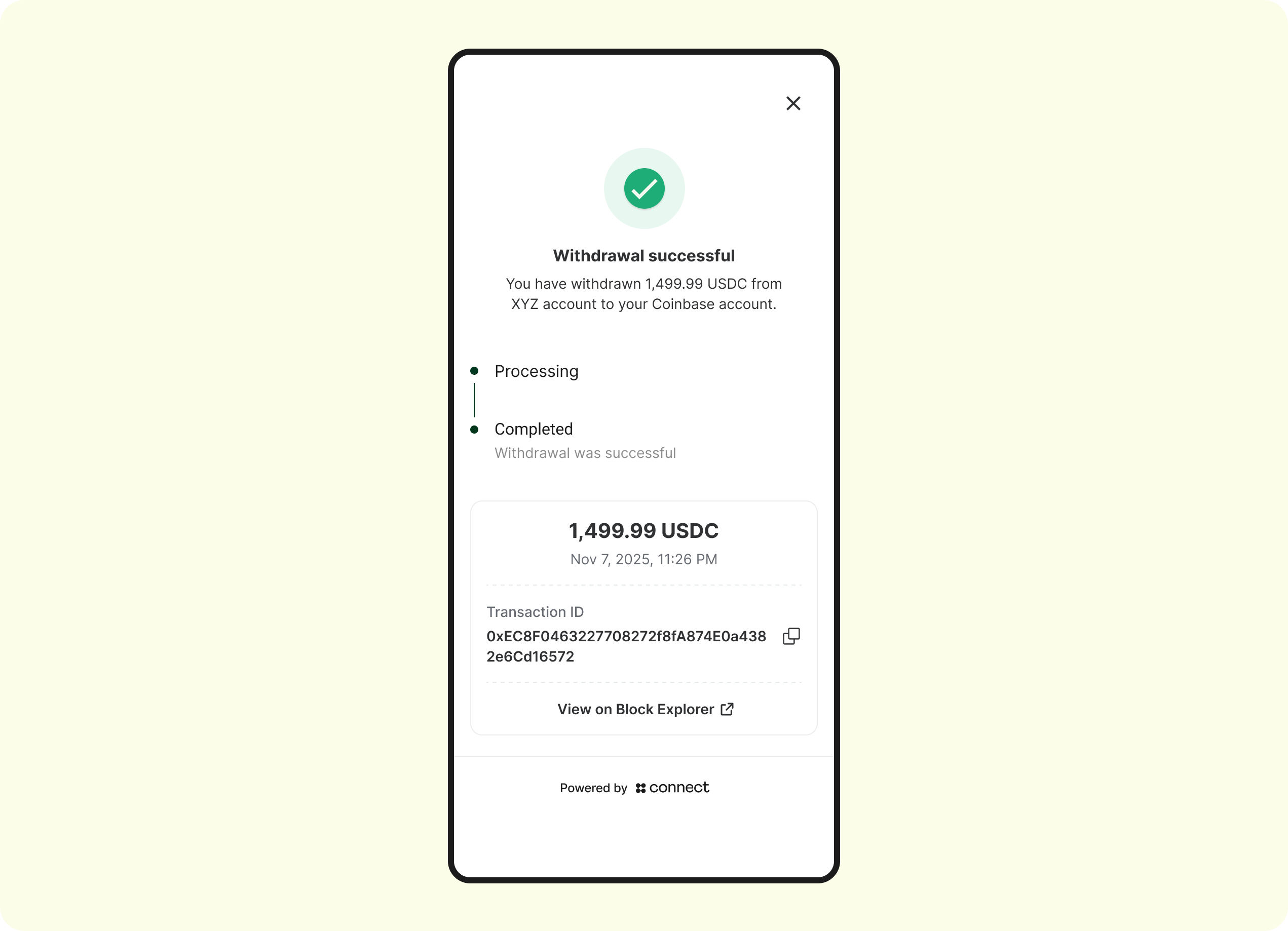
Withdrawal completed
The withdrawal has confirmed on-chain and Connect has sent the Auth Completed webhook
Webhooks
See Withdrawal webhook guide here.

Updated 2 months ago