
Auth Validate - Travel Rule-based Account Matching (Pending Review)
What does this page include?
This page includes the following:
- End to end flow of the Immediate post-transaction Account Matching
- Webhook examples
- Email examples
- SDK UI's that are shown to the end user
High level flow
zerohash can offer an immediate post-transaction account matching verification. Here's how it works:
- User chooses the centralized exchange account from the SDK (either the Auth SDK or Account Funding SDK)
- User initiates withdrawal from the exchange for an amount over $3,000
- The asset lands on-chain at the end user's zerohash wallet address
- zerohash recognizes the deposit, but does not automatically convert to fiat
- zerohash sends a webhook to the Platform
- zerohash sends an email to the end customer (if the Platform is enabled for this)
- zerohash instantly begins monitoring for travel rule PII to be received from the sending centralized exchange
- Once the PII is received, zerohash performs a name match according to the Account Match logic
- if the account can be matched, zerohash will convert the funds to fiat
- zerohash sends a webhook to the Platform
- zerohash sends an email to the end customer (if the Platform is enabled for this)
- If the account cannot be matched, do not convert the funds and move the funds to the
fund_failureaccount_label- zerohash sends a webhook to the Platform
- zerohash sends an email to the end customer (if the Platform is enabled for this)
- The end customer can self-serve a withdrawal to the wallet address of their choice
- if the account can be matched, zerohash will convert the funds to fiat
End to end flow
The user selects crypto or stablecoins from the Platforms app and redirected to the zerohash SDK →
1. Landing page and product intro
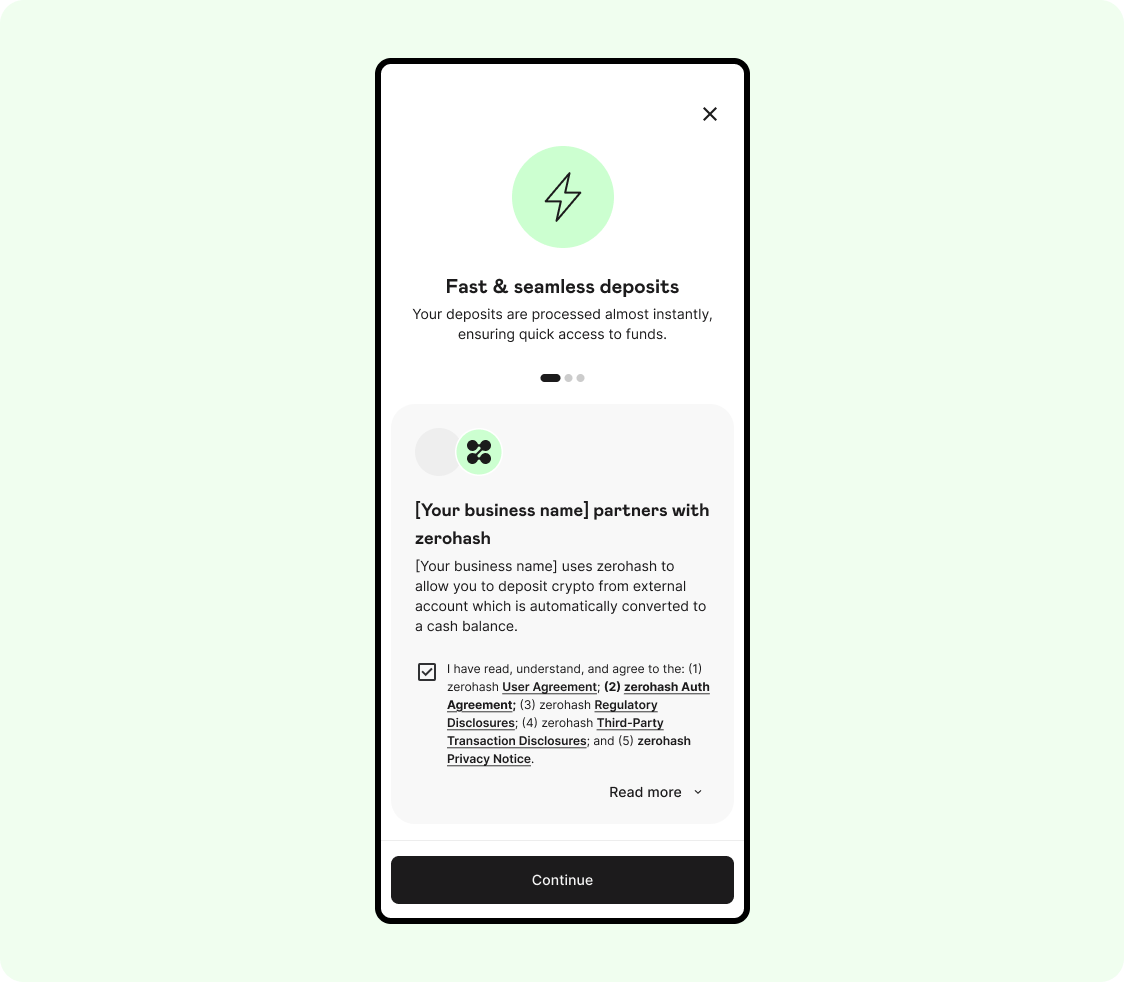
User accepts the terms and conditions and is moved to the next screen:
2. Menu screen
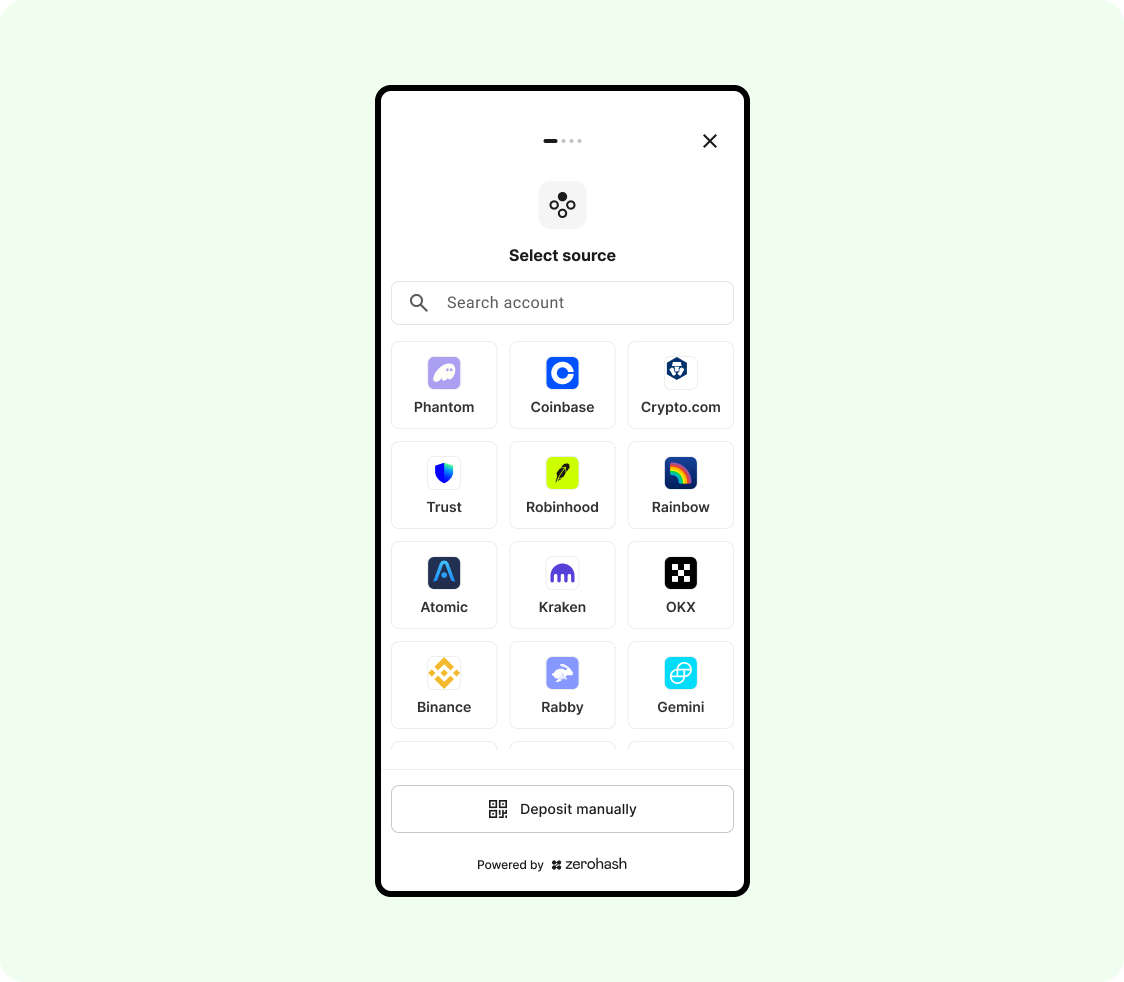
3. First Warning
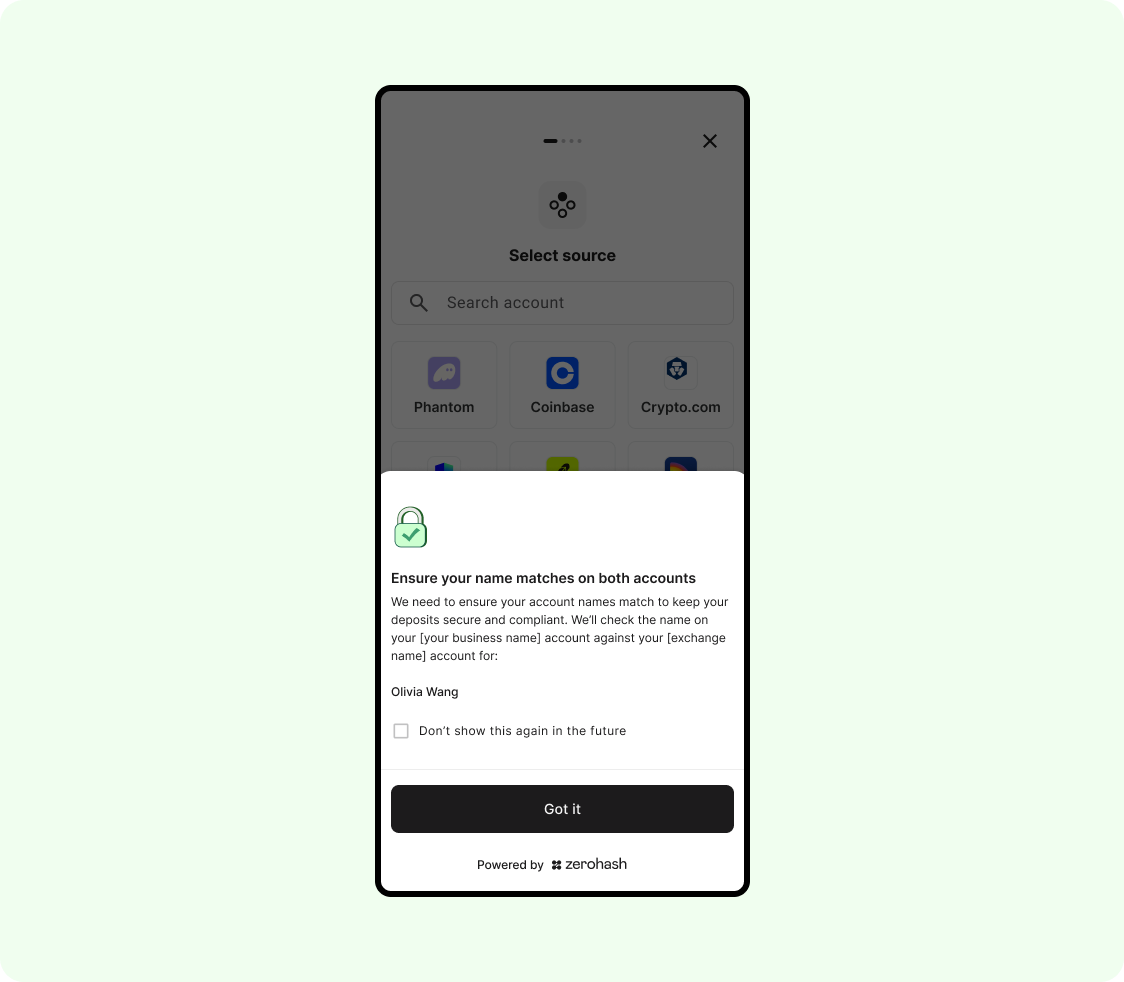
User is made aware that zerohash will be performing an account match on the source exchange account. They click "Got it" and are moved to the next screen:
4. Select Asset
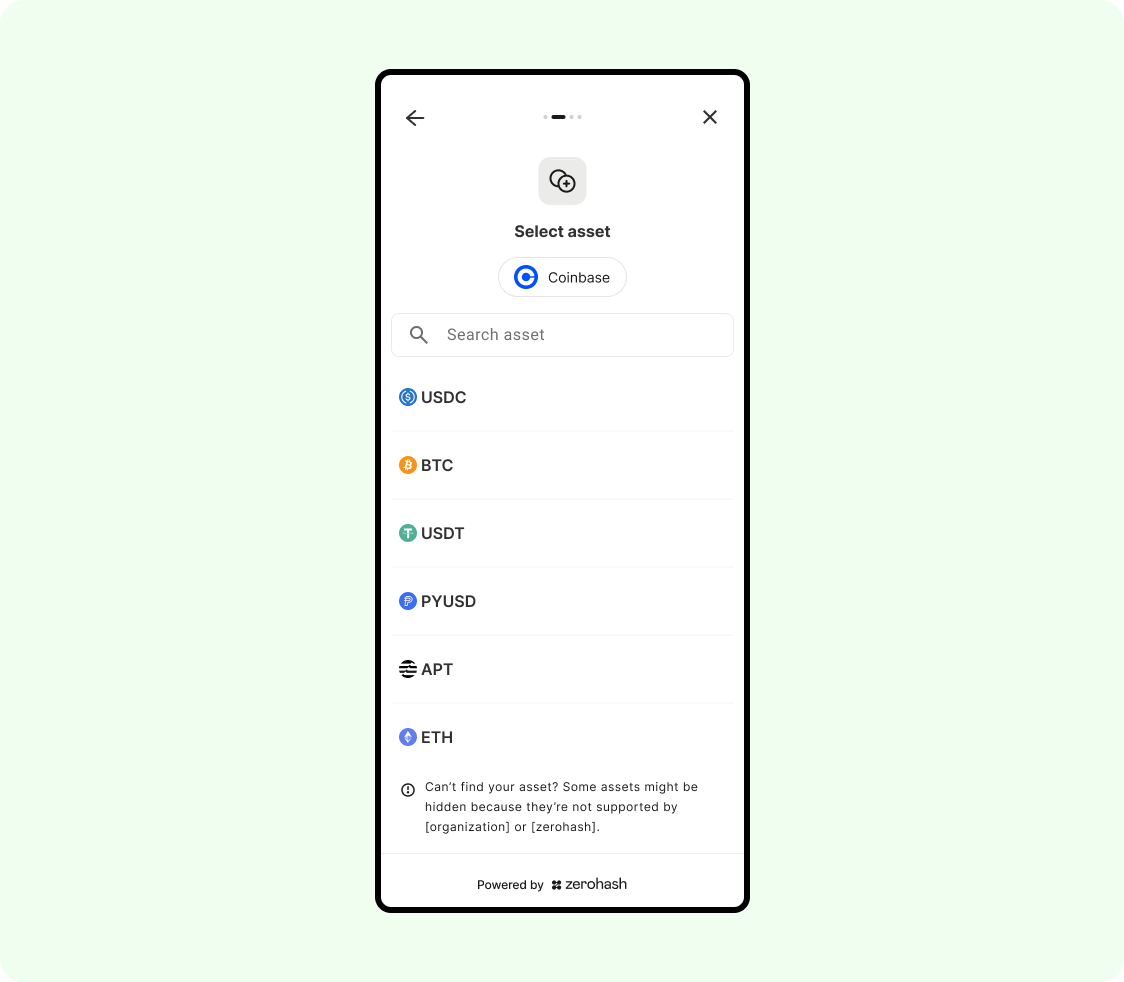
The user selects an asset. Please note, only assets that you've previously identified as permissible assets will be shown here. The above screen is just an example. They then are moved to the next screen:
5. Enter Amount
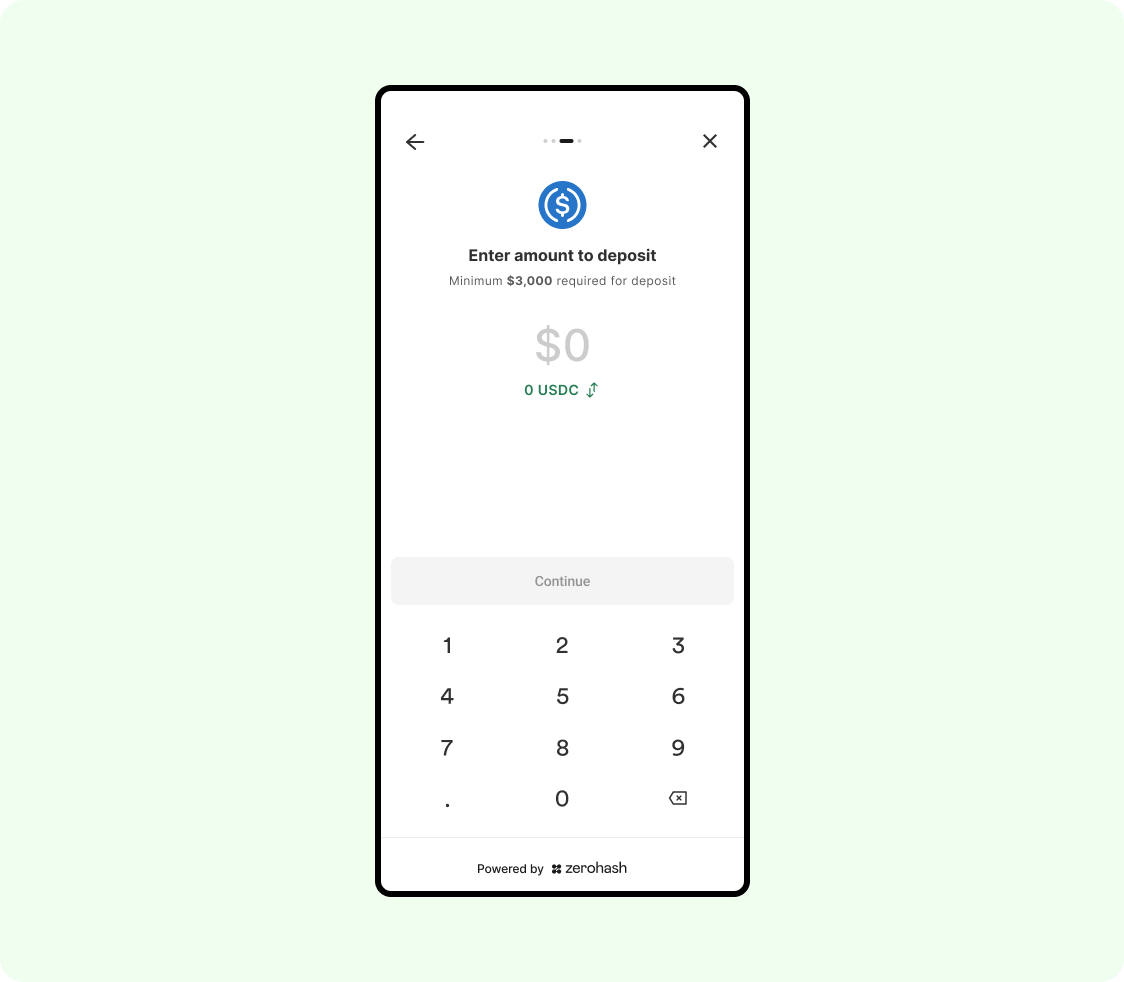
There is a validation if they enter an amount below $3,000:
6. Amount validation
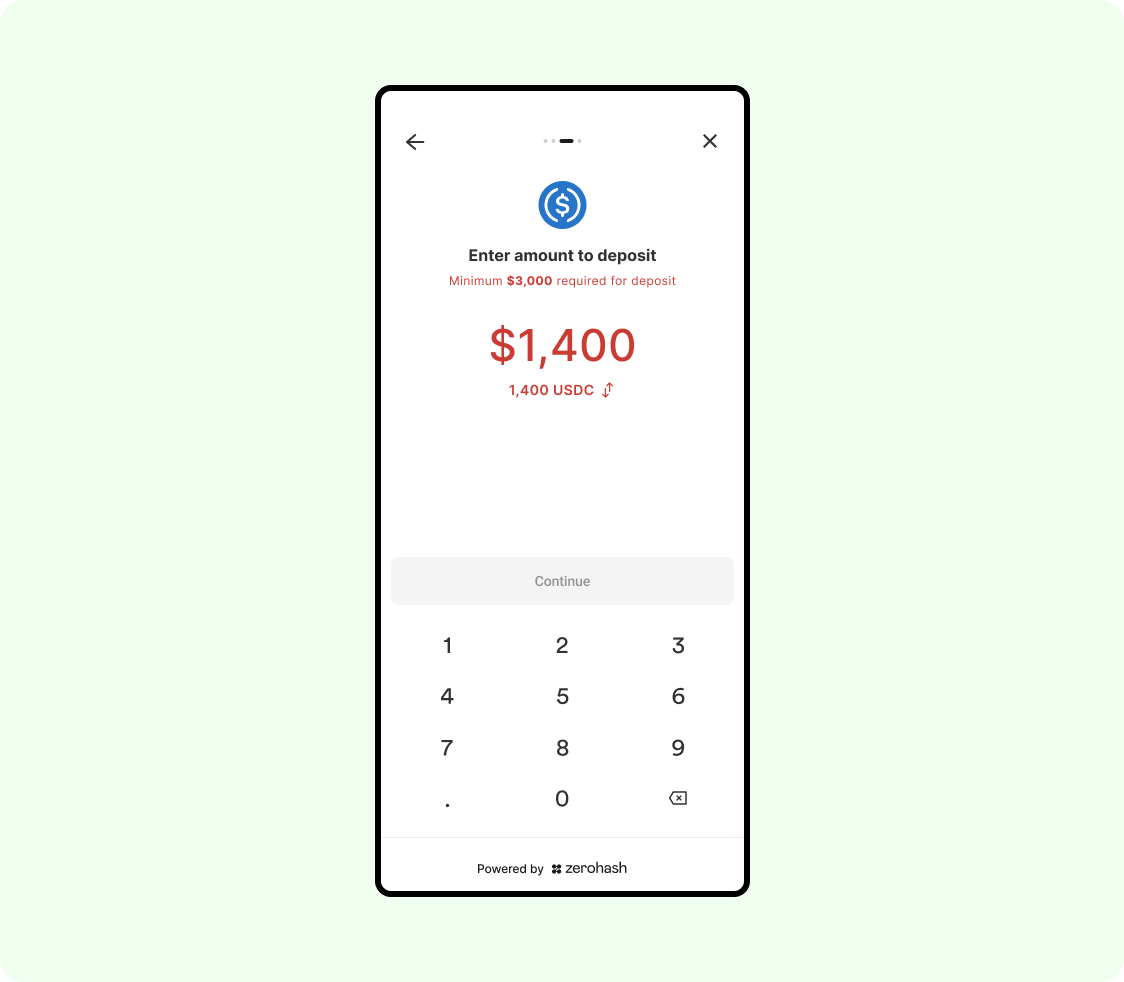
User enters an acceptable amount:
7. Acceptance amount is entered
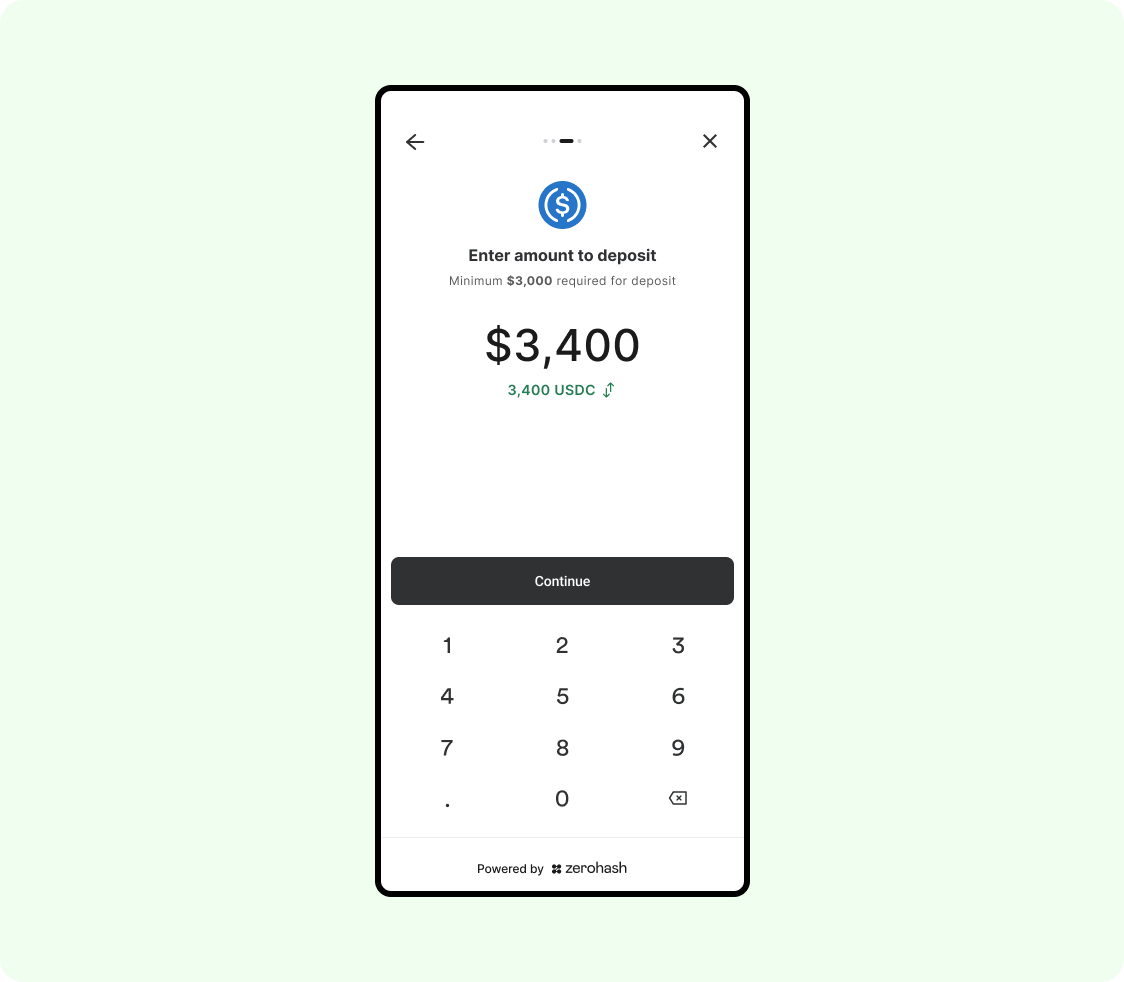
Once the enter an acceptable amount over $3,000 and click Continue, they are brought to this page:
8. Exchange preview screen (second amount warning)
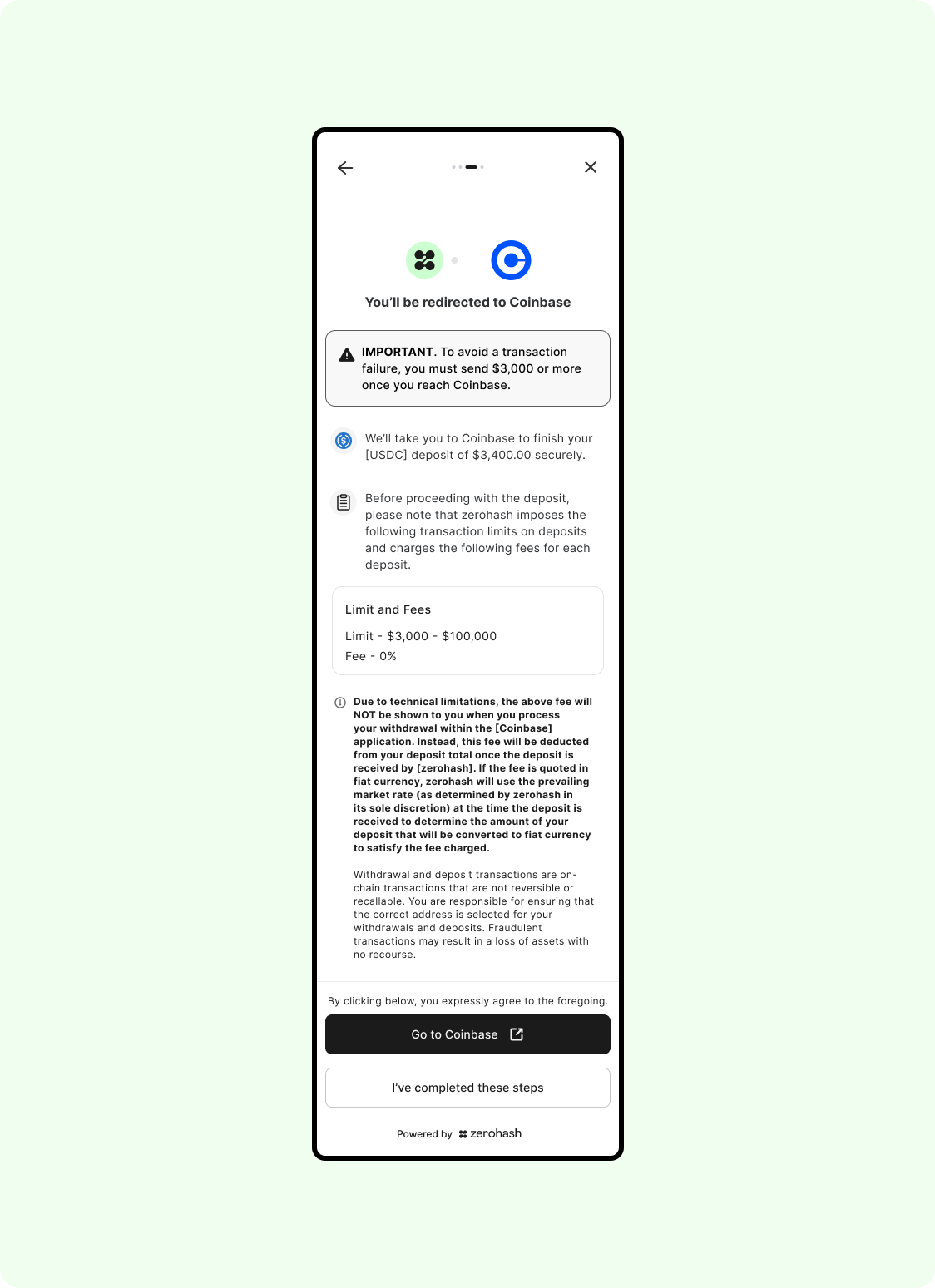
When the user clicks on Go to Coinbase, we will redirect to the user to the Exchange app, pre-filling the amount the specified on our SDK:
9. Amount is pre-filled on the exchange's screen
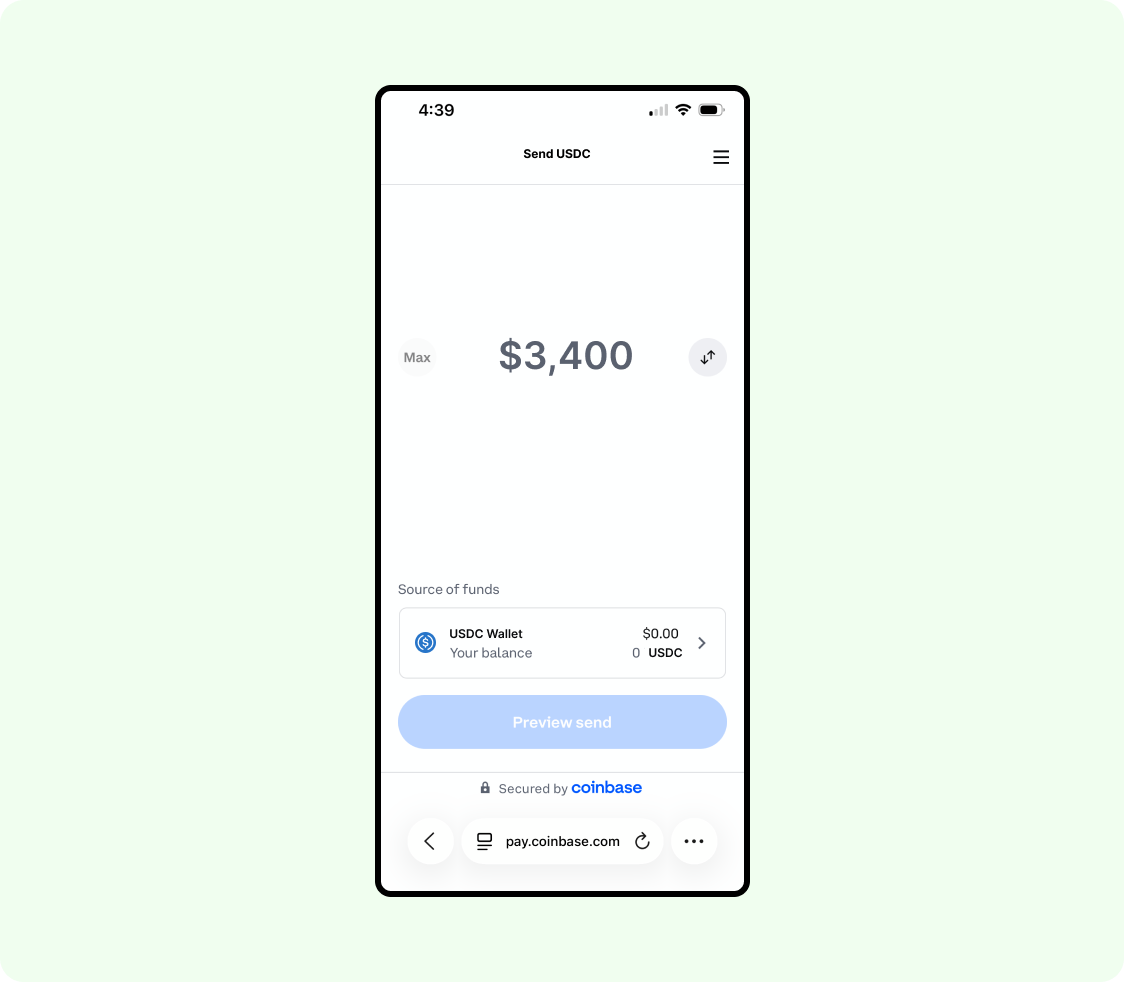
The user selects Source of funds and then is asked to choose a fiat method to fund their purchase with:
10. Select source of funds
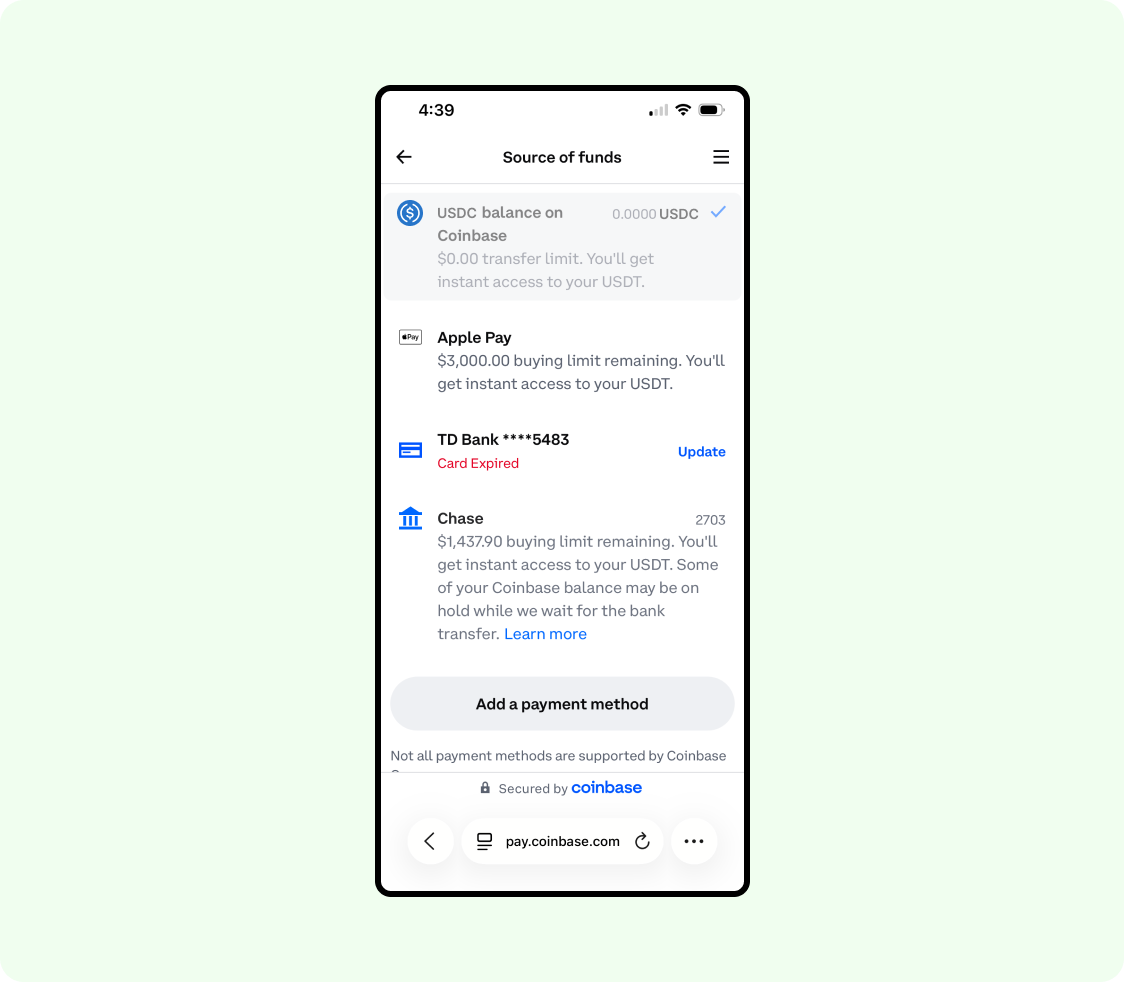
Reminder: The user can also use existing stablecoin or crypto balances to make a transfer. For the UX shown in this example, we are illustrating an example where the user needs to make purchase first
The user selects the proper source, and is brought to this screen:
11. The transaction is previewed, then confirmed
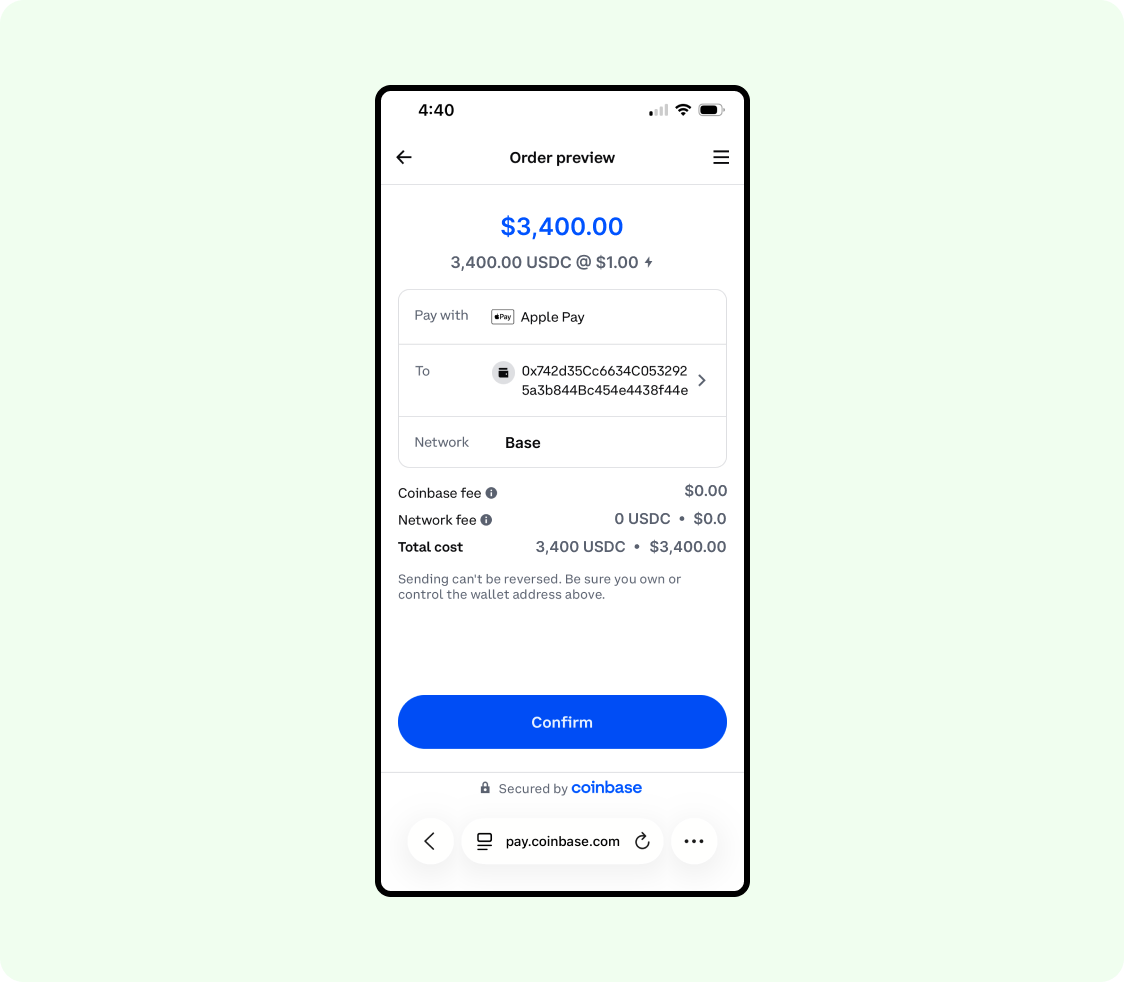
Ultimately, the user is able to initiate the transaction and will be brought to this screen:
12. The transaction is completed on the exchange's screen
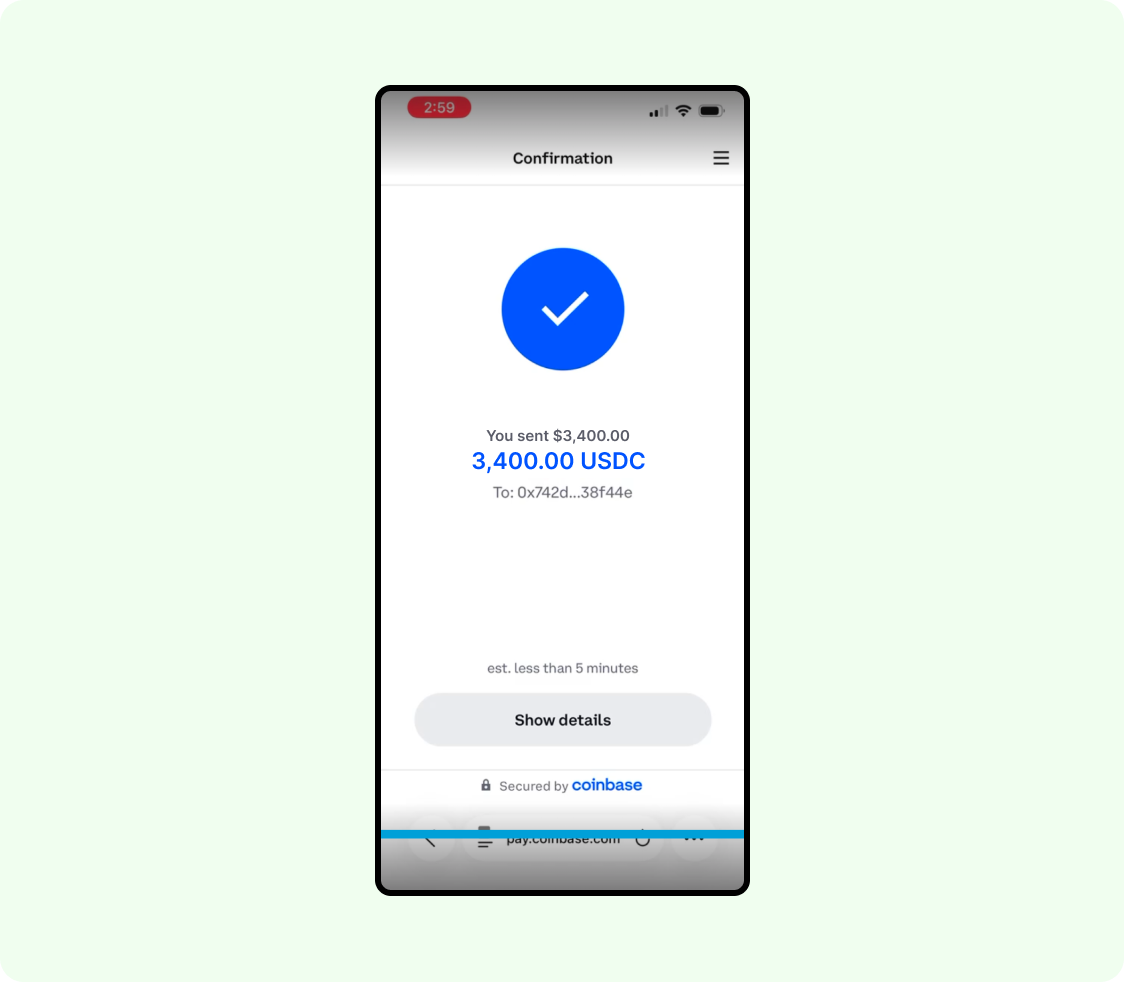
At this point, the asset is pending on-chain and is en route to the zerohash address.
The user will then navigate back to the zerohash screen and see it in a Processing state:
13. The user is back on the zerohash screen
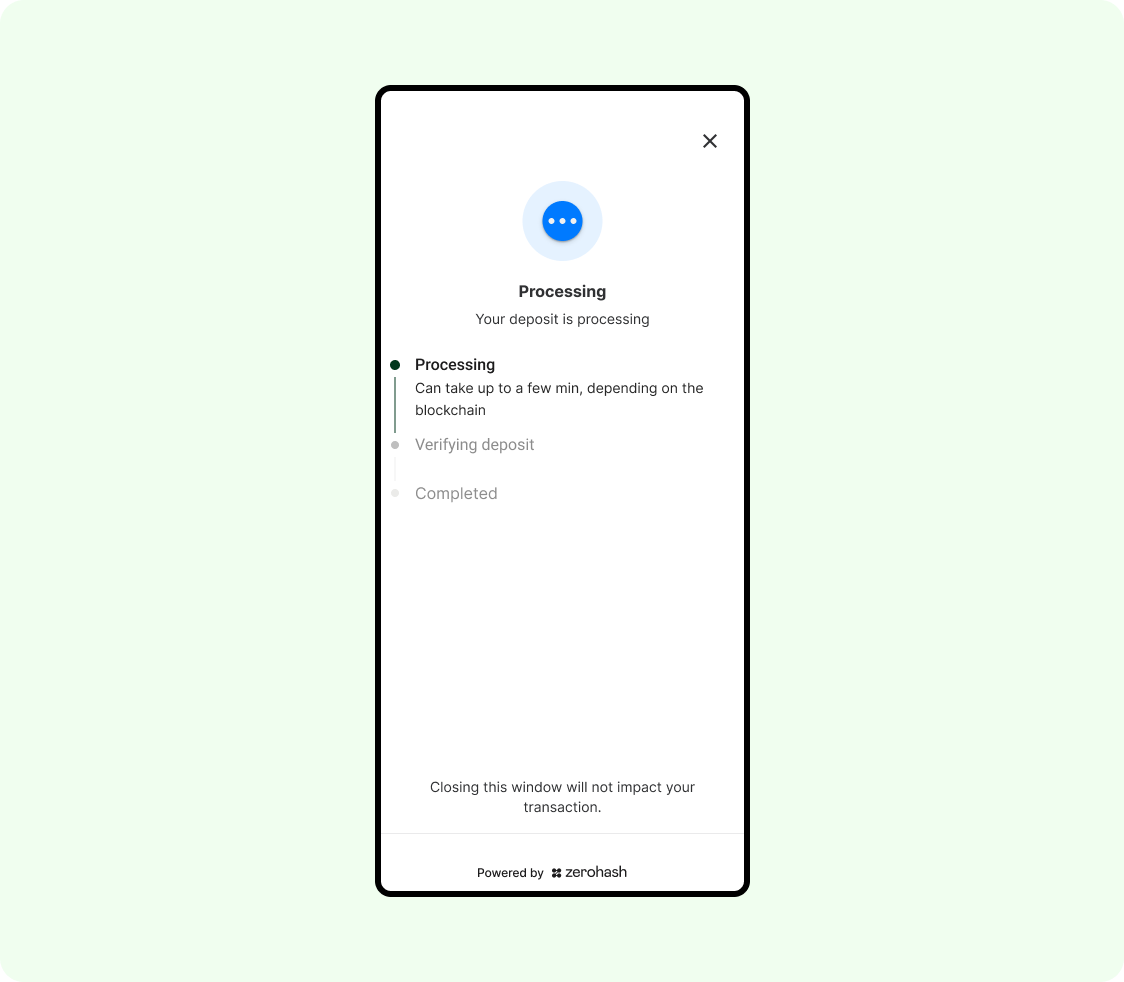
14. Verifying deposit screen
When we receive the asset, we will do the following:
- Update the screen to the following:
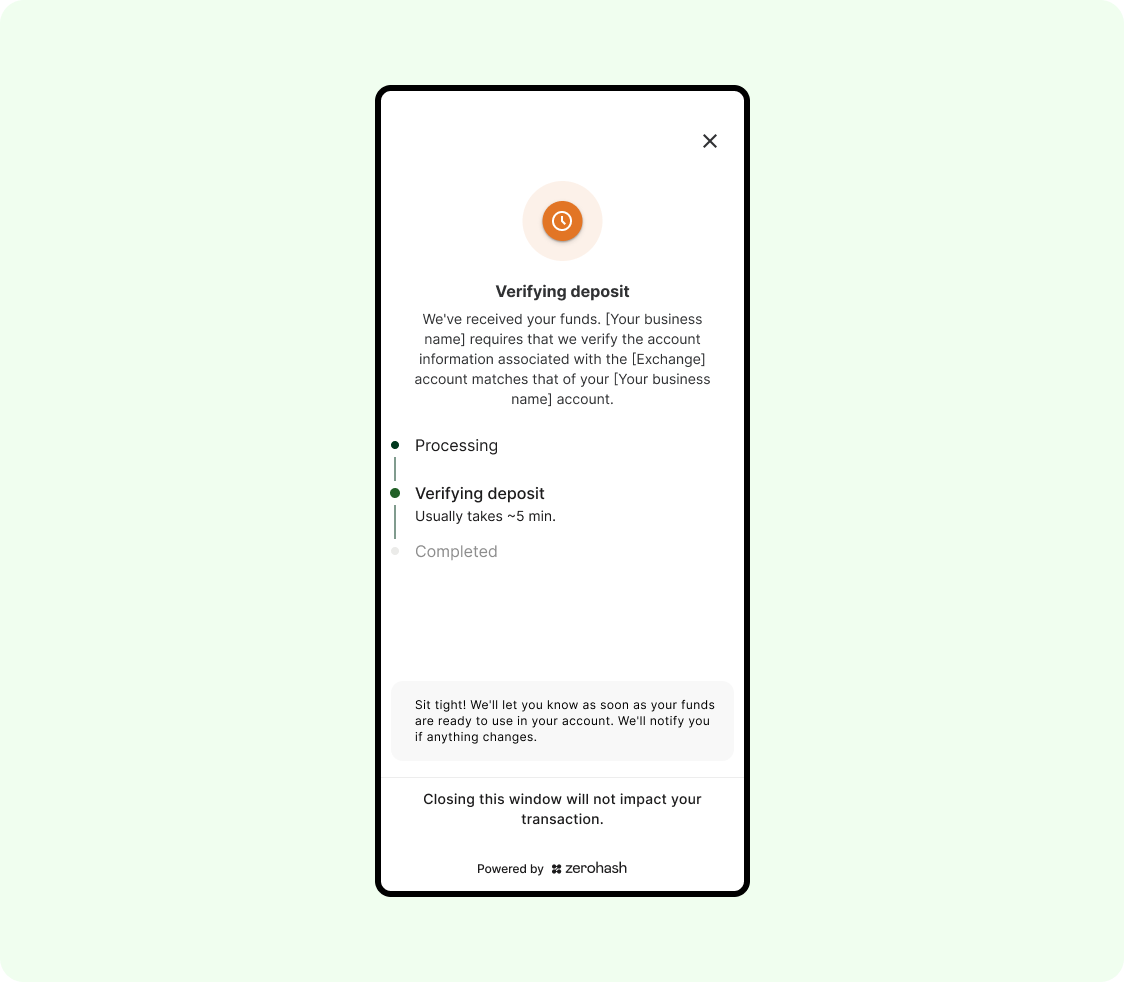
- We will then send a Fund webhook to the Platform indicating that we have the funds, but have not performed the account match yet. Example payload:
{
  "participant_code": "CUST01",
  "fund_asset": "USDC.BASE",
  "quoted_currency": "USD",
  "source_address": "0x3A45a60c62EE6cD616B1C4510404Eba88116044I",
  "deposit_address": "0x34f53Aea3ba8b60B0ed19106baF43A4f3F73f248",
  "quantity": "3400",
  "fund_id": "5155f7c9-95cb-4556-ab89-c178943a7111",
  "deposit_timestamp": 1750412525409770895,
  "transaction_id": "a07407e8f98c21b037b4aa0cbc852b8489c5e122fcc3d4b33b7827d0605ad8ff",
  "account_label": "general",
  "success": false,
  "reason" : "deposit received, however the Travel Rule-based account match has not completed yet",
  "source": {
    "integration": "coinbase",
    "type": "CUSTODIAL"
  },
  "raw_fee_bps": "0",
  "deposit_fee_bps": "0",
  "raw_fee_notional": "0.00",
  "deposit_fee_notional": "0.00"
}
15. zerohash receives the PII via the travel rule and performs the account match
When we receive the PII via the travel rule, we will perform the account match between the KYC'd customer information in our system with the KYC'd customer registered at the exchange. We will be using the following account match logic, defaulting to fuzzy name match on the first name and last name:
Logic
- By default, our out-of-the-box name matching logic performs a standard comparison of First Name and Last Name fields. We apply a string similarity algorithm called Jaro-Winkler, which generates a score between 0 and 1:
- A score of 1.0 indicates a perfect match
- Lower scores reflect less similarity between the names
We recommend a default threshold of 0.75 (ie, 75%), but this value is fully configurable based on your organization’s needs and risk tolerance.
There are 2 possible outcomes
- Pass - the first and last name from our system matched the user's registered exchange name, meeting or exceeding the required threshold.
We will then transition the UI to the following screen:
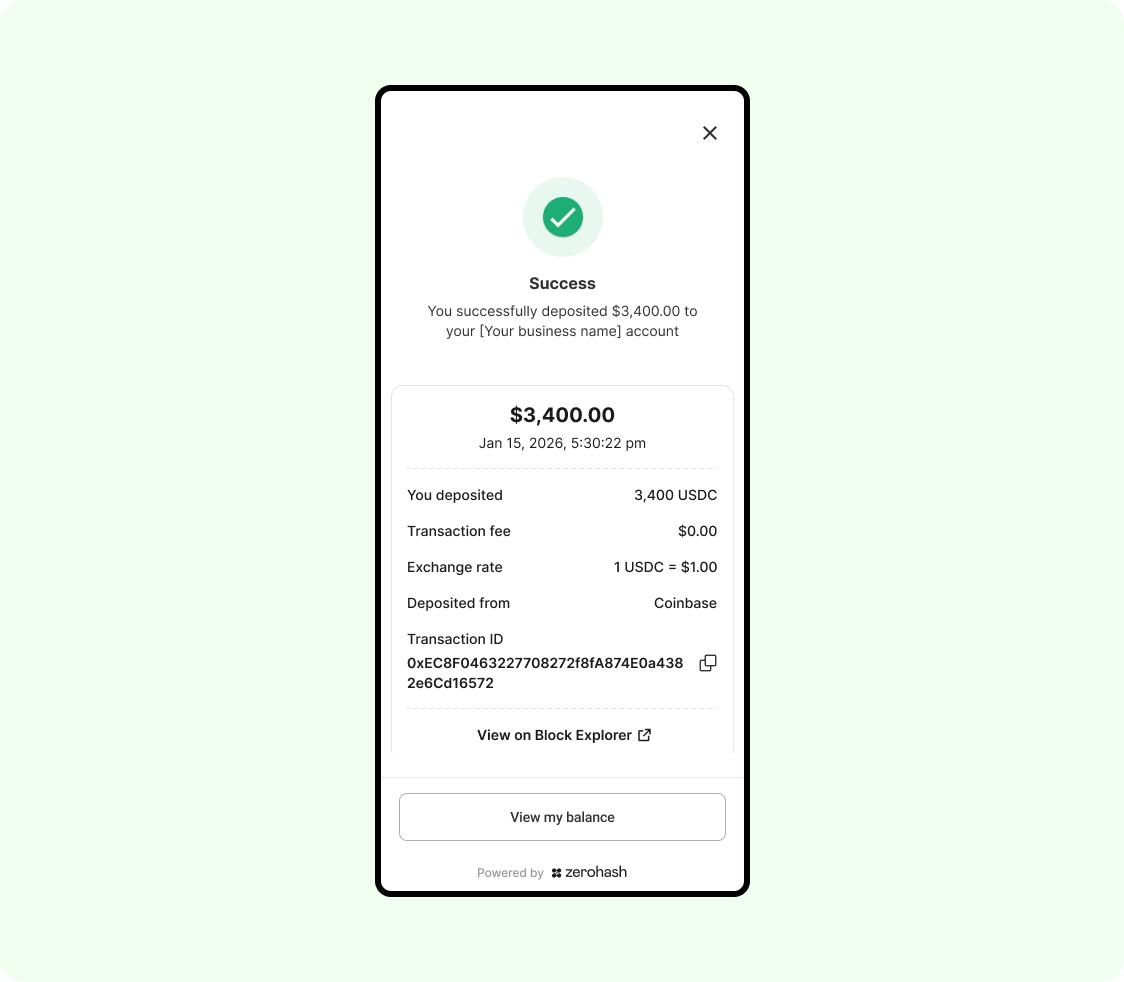
And send the standard Fund Complete webhook. Example message:
{
  "participant_code": "CUST01",
  "fund_asset": "USDC.BASE",
  "rate": "1",
  "quoted_currency": "USD",
  "source_address": "0x3A45a60c62EE6cD616B1C4510404Eba88116044I",
  "deposit_address": "0x34f53Aea3ba8b60B0ed19106baF43A4f3F73f248",
  "quantity": "3400",
  "notional": "3400",
  "fund_id": "5155f7c9-95cb-4556-ab89-c178943a7111",
  "fund_timestamp": 1750404905186631445,
  "deposit_timestamp": 1750404905037719568,
  "transaction_id": "a07407e8f98c21b037b4aa0cbc852b8489c5e122fcc3d4b33b7827d0605ad8ff",
  "account_label": "general",
  "success": true,
  "source": {
    "integration": "cbase",
    "type": "CUSTODIAL"
  },
  "reference_id": "d098e59b-8023-4477-8b63-68fda3c53a30",
  "raw_fee_bps": "0.00",
  "raw_fee_notional": "0.00",
  "deposit_fee_bps": "0.00",
  "deposit_fee_notional": "0.00"
}- Fail - the user's first and last name in our system did not sufficiently match the name on record at the exchange.
We will then transition the UI to the following screen:
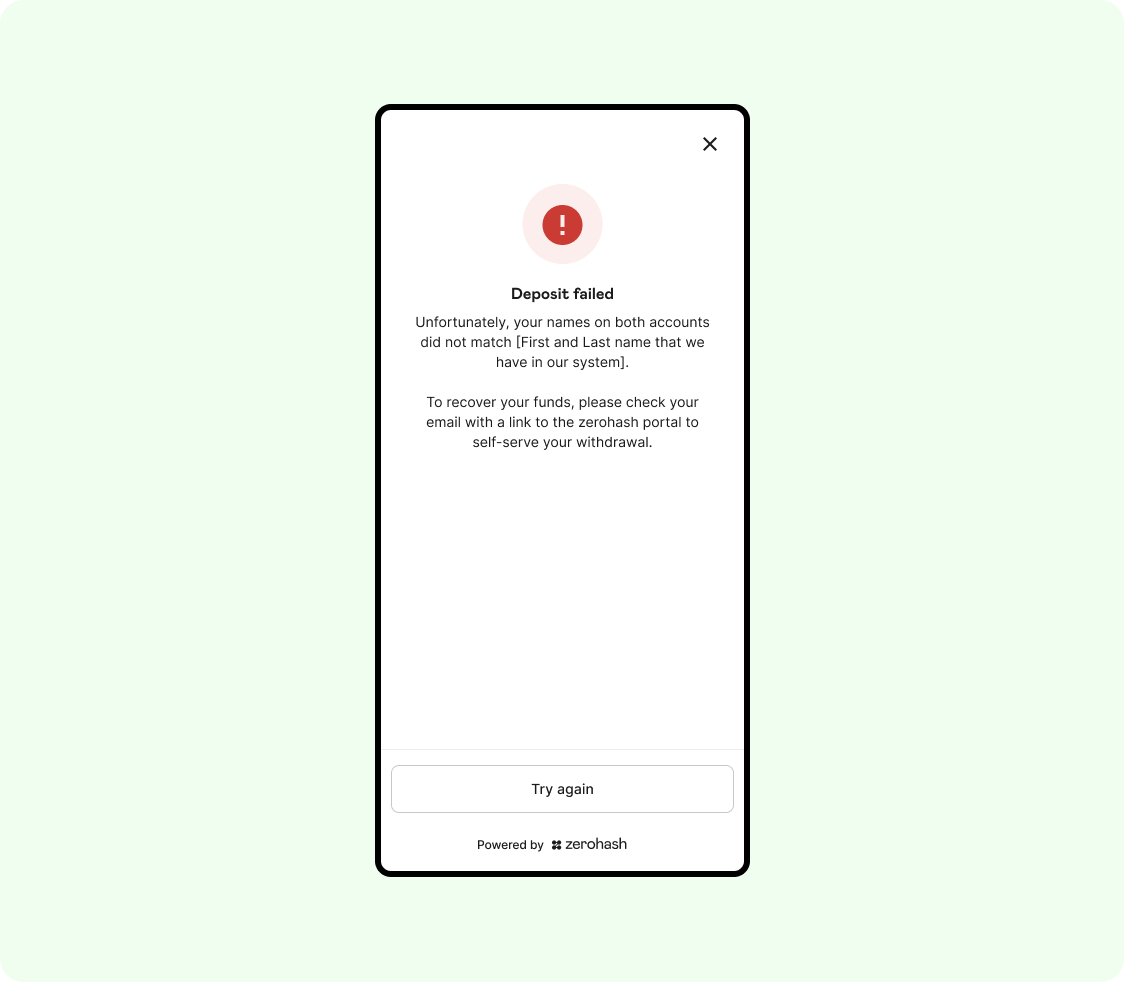
And send a failure webhook with a pointed and unique reason
{
  "participant_code": "CUST01",
  "fund_asset": "USDC.BASE",
  "quoted_currency": "USD",
  "source_address": "0x3A45a60c62EE6cD616B1C4510404Eba88116044I",
  "deposit_address": "0x34f53Aea3ba8b60B0ed19106baF43A4f3F73f248",
  "quantity": "3400",
  "fund_id": "5155f7c9-95cb-4556-ab89-c178943a7111",
  "deposit_timestamp": 1750412525409770895,
  "transaction_id": "a07407e8f98c21b037b4aa0cbc852b8489c5e122fcc3d4b33b7827d0605ad8ff",
  "account_label": "general",
  "success": false,
  "reason" : "Travel Rule-based account match failed",
  "source": {
    "integration": "cbase",
    "type": "CUSTODIAL"
  },
  "raw_fee_bps": "0",
  "deposit_fee_bps": "0",
  "raw_fee_notional": "0.00",
  "deposit_fee_notional": "0.00"
}
16. If configured to do so, zerohash will send an email to the end user containing a link to our Secondary Portal
Given the Fund attempt failed and zerohash cannot convert the funds, the user still has an opportunity to recover their crypto or stablecoin assets .
The email sent to the user will contain a link to the secondary portal and they can self-serve a withdrawal to their external address.
Updated 8 days ago