
Tenant Types
zerohash support the ability to add muitlple tenants to a customers account. Tenants and Financial Advisors that are linked to the customers account, must be onboarded participants at zerohash and will be subject to the restrictions outlined in the authorization matrix below.
Customer Account Hierarchy
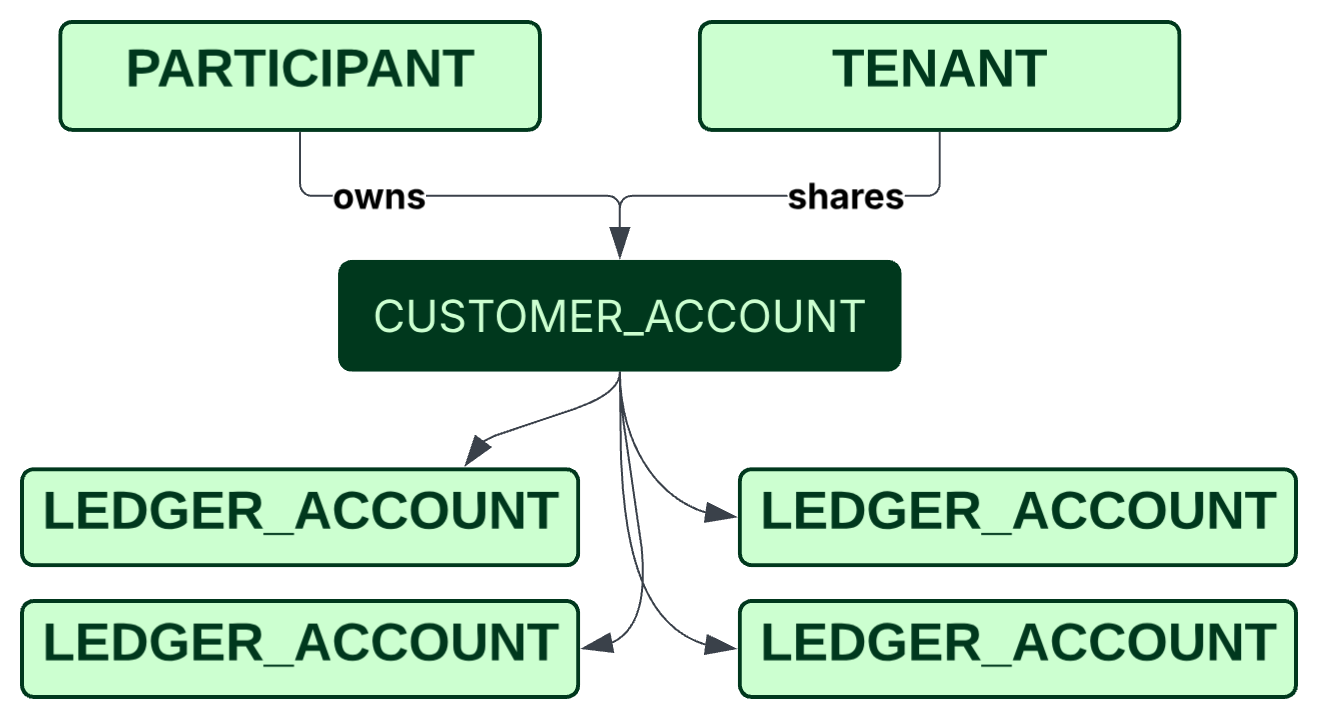
Joint accounts can have multiple tenants with associated authorizations, as described below:
| Tenant Types | Definition |
|---|---|
| Individual | A natural person who is granted authorizations to access the account |
| UTMA Beneficiary | The minor child for whom the custodial account is held under the Uniform Transfers to Minors Act. The beneficiary is the legal owner of the funds, but has no control over the account until reaching the age of majority (18 or 21) |
| UTMA Custodian | The legally authorized adult who manages a UTMA account on behalf of the minor beneficiary |
| Trustee | The person or institution legally responsible for managing the trust’s assets |
| Trust Beneficiary | The individual or entity entitled to receive distributions or benefits from the Trust |
Tenant Designations
Each multiple tenant account must have one Primary Participant, and at least one Secondary Participant.
| Tenant Designations | Definition |
|---|---|
| Primary | The primary participant associated with the account creation |
| Secondary | The secondary participant(s) associated with the account |
Tenant Authorizations
Tenant authorizations define the level of access and control over an account. These authorizations are assigned based on the account type and tenant configuration.
| Authorization | Permissions |
|---|---|
| Full Trading | The ability to withdrawal funds, trade, and access statements & receipts |
| Limited Trading | The ability to trade and access statements & receipts. Cannot withdraw funds |
| View Only | The ability to access statements & receipts. Cannot withdraw funds or trade |
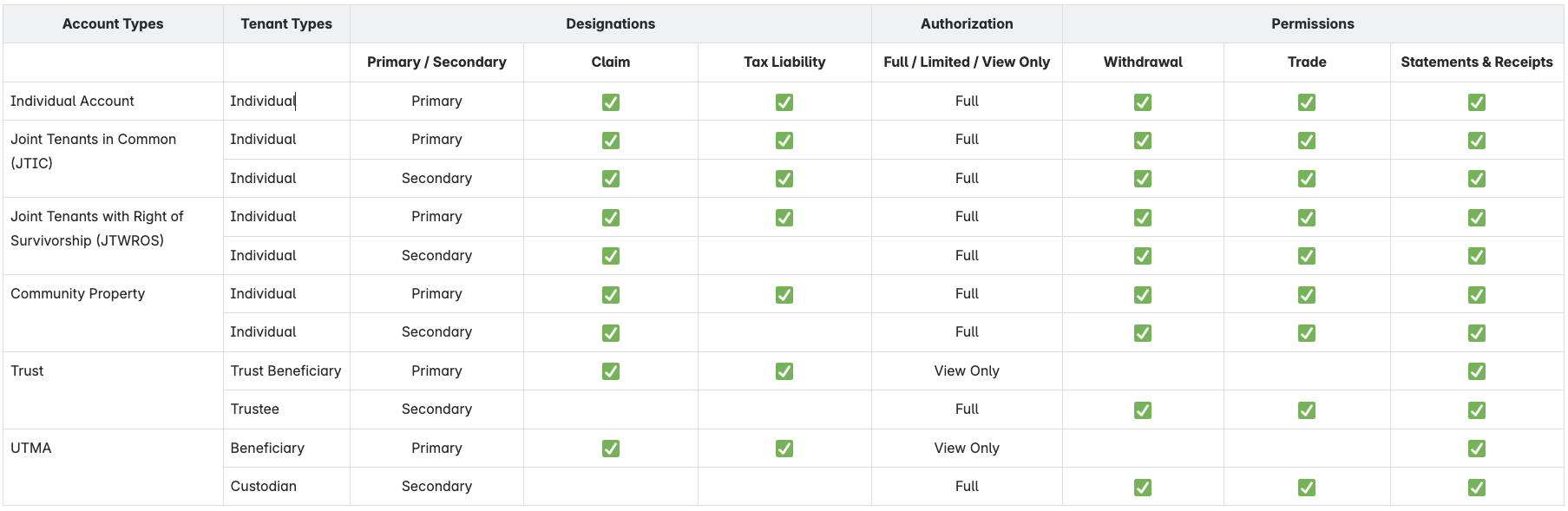
Authorization Matrix
The below matrix represents the default authorizations for each Account Type and Tenant Type. Tenant authorizations can be updated after account creation.
Steps for Setting Up Multiple Tenant Accounts and Tenants
- Create the primary and secondary participants using the participant creation zerohash methods;
- Individuals via;
- Onboarding SDK with KYCaaS
- POST /participants/customers/new endpoint.
- Entities through the POST /participants/entity/new endpoint.
- Individuals via;
- Create an account using POST /accounts
- Assign the primary participant
participant_code:- The primary account holders
participant_code
- The primary account holders
- Set account type by
type: theAccountTypeEnum - Add the additional tenant(s) by
tenants:- The secondary participant(s)'
participant_code
- The secondary participant(s)'
- Assign the primary participant
Updated about 1 month ago